QuantConnect

QuantConnect

QuantConnect is a cloud-based, open-source platform for developing, backtesting, and deploying algorithmic trading strategies. It supports multiple asset classes including equities, options, futures, forex, and cryptocurrencies. The platform is powered by LEAN, an open-source engine that provides institutional-grade portfolio modeling and execution. Users can research and code strategies in Python or C# within an integrated development environment (IDE) called the Algorithm Lab. It includes access to a vast library of financial and alternative data, advanced backtesting with realistic fee and slippage modeling, and parameter optimization tools. The platform also offers AI assistance through its 'Mia' agent to help design, code, and deploy strategies. QuantConnect targets quantitative researchers, financial engineers, hedge funds, and individual algorithmic traders. It provides a free tier for core functionality, with paid plans offering more compute resources, collaboration features,

Coding
Visit website
Added on
Sep 17, 2026
Monthly Visits
321.2K
Multi-Asset Research PipelineIntegrated AI AssistanceCloud & On-Premise HybridTeam Collaboration & PermissionsInstitutional-Grade Live TradingOpen-Source LEAN EnginePoint-in-Time Data Modeling
Product information

Everything worth knowing about QuantConnect

The complete picture — from everyday features to the technical detail builders and IT folks dig for.

Core features

What it actually does

Multi-Asset Research Pipeline
Move ideas through a single automated pipeline from generation, research, backtesting, to paper and live deployment.
Integrated AI Assistance
Use AI agents like Mia for natural language strategy creation, auto backtesting, and code editing.
Cloud & On-Premise Hybrid
Develop locally with VSCode/CLI and seamlessly sync to cloud backtesting or on-premise live trading.
Team Collaboration & Permissions
Manage projects with team collaboration, permissions, and project ownership features.
Institutional-Grade Live Trading
Deploy strategies to a co-located environment with low-latency infrastructure and 20+ broker integrations.
Technical capabilities
Open-Source LEAN Engine
Built on the LEAN engine, a cross-platform, multi-asset technology supporting Python and C#.
Point-in-Time Data Modeling
Backtest with fee, slippage, and spread-adjusted modeling on a multi-asset portfolio to avoid look-ahead bias.
Must watch videos
QuantConnect Live Strategy Deployment — A Complete Overview
9:04
Tutorial9:04
QuantConnect Live Strategy Deployment — A Complete Overview
👉 Join Quant Trading Cohort → https://tim-sergeev.kit.com/cohort 🔗 Join AI Trading Circle → https://tiny.cc/ai-trading-circle QuantConnect | live trading | algorithmic trading | strategy deployment | automated trading | AI trading In this video I walk through the QuantConnect live strategy deployment page — what it shows, how it works, and what to expect when you take your strategy from backtesting to live trading. This is a complete overview of the deployment process for anyone building and running algorithmic trading strategies on QuantConnect. If you have been wondering what live deployment on QuantConnect actually looks like in practice — this video covers it all. This content is for educational purposes only and is not financial advice. Trading and investing involve risk and your capital is at risk. #AITrading #QuantConnect #AlgorithmicTrading #LiveTrading #AutomatedTrading #TradingStrategy #TimSergev
Claude Code + QuantConnect: How I Monitor My Live Trading Bot
11:14
Tutorial11:14
Claude Code + QuantConnect: How I Monitor My Live Trading Bot
👉 Join Quant Trading Cohort → https://tim-sergeev.kit.com/cohort 🔗 Join AI Trading Circle → https://tiny.cc/ai-trading-circle AI trading | Claude Code | QuantConnect | live trading | monitoring | algorithmic trading Deploying a strategy is the easy part. Knowing whether it is still doing what you built it to do, weeks later, is the part nobody shows you. This is my actual monitoring routine for live QuantConnect strategies using Claude Code. I go through what I look at each day, how I compare live behaviour against what the backtest told me to expect, the signs that tell me something has drifted, and what I do when it has. This is not the setup, I covered that separately, and it is not just checking that something is switched on. It is everything after that. If you have strategies running right now and you are quietly unsure whether they are performing the way they should be, this is what that looks like in practice. This content is for educational purposes only and is not financial advice. Trading and investing involve risk and your capital is at risk. 0:00 Monitoring Automated Trading Performance 1:05 Building a Custom Telegram Integration 3:28 Analyzing Real-Time Performance Metrics 7:39 Managing Positions and Recent Trade History 8:43 Emergency Liquidation and Strategy Control #AITrading #ClaudeCode #QuantConnect #LiveTrading #AlgorithmicTrading #TradingAutomation
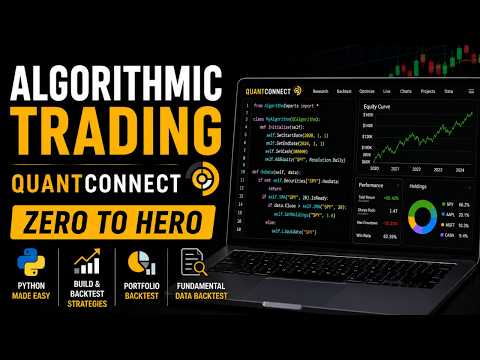
QuantConnect Full Tutorial 2026 - Worlds Best Algorithmic Trading Engine & Platform
1:43:39
Tutorial1:43:39
QuantConnect Full Tutorial 2026 - Worlds Best Algorithmic Trading Engine & Platform
Today, we’ll do a full tutorial on using QuantConnect with Python. We’ll go through how to build and backtest trading strategies, run proper portfolio-level backtests, and understand how QuantConnect makes it easier to move from research to execution. It is one of the best platforms for serious algo traders because it combines coding, data, backtesting, broker integration, and live trading in one place. If you wish to download the codes, please optin in the link below. https://www.quantprogram.com/QC_Tutorial_Signup Chapters 00:00 Advantage of Quantconnect 03:00 Sign up and opening the lab 03:45 Default Template, Python Programming 04:45 Working in the Lab, Backtest, Live 05:30 Quantconnect Classes, Initialize, Ondata, Backtest 07:30 Results page 08:40 setmarketorder 09:30 Adding Indicators, Charts 13:35 set_warm up, is_warming_up , is_ready 18:12 Challenge 19:00 Debug, on_order_event 23:00 Strategy with indicators 25:49 Errors 30:00 Good Log practices 39:47 Challenge 41:20 RSI Indicator, Namings, Indicator Debugs 53:10 Stop Loss , Take profit, Slippage 01:07:32 Order Cancelled situation 01:10:25 First Realistic Strategy Backtest 01:13:50 Challenge 01:15:42 TradeBarConsolidator 01:25:00 Challenge 01:25:40 Dynamic Portfolio Universe, Adding and Removing from the Universe 01:30:10 Portfolio Backtest 01:33:25 Commissions & Leverage 01:35:20 Portfolio Backtest with Fundamental Data and Position Sizing Our Course's https://www.quantprogram.com/store Algorithmic Trading Python for Beginners - FULL TUTORIAL: https://youtu.be/GDMkkmkJigw Jim Simons Trading Secrets 1.1 MARKOV Process: https://youtu.be/gA0egjZcRB0 QuantConnect Full Tutorial 2024 - Worlds Best AlgoTrading Engine: https://youtu.be/Ets0xGCjQ14 Full Beginner Tutorial for Tradingview Pinecript: https://youtu.be/G4ErIBbUZOc RSI Strategy Backtested Pinescript: https://youtu.be/w1ETamJ8DcE Backtesting Pullback Strategy Pinecript: https://youtu.be/F_yGjiB0bro Stan Weinstein Strategy Pinecript code: https://youtu.be/Wodr4rCWzPw Create Stop Loss Take Profit Code: https://youtu.be/yP7qWD0JElo Creating Trailing stop Loss in Tradingview Pinescript: https://youtu.be/ZWyVF0fmGMs RSI divergence V4 Pinescript code: https://youtu.be/zCfMv_FxvME Donchian Breakout Pinescript Code: https://youtu.be/7fBlpT0YHpc Inside day Strategy Pinescript Code: https://youtu.be/_-QIv0KYnSM Bullish Engulfing Strategy Pinescript Code: https://youtu.be/JMEI9zbacbA Disclaimer: The contents provided in the channel are purely educational. We do not provide any financial or investment advice. There is a very high degree of risk involved in trading. Past results are not indicative of future returns. quantprogram.com and all individuals affiliated with this site assume no responsibilities for your trading and investment results. The contents, videos, columns, articles and all other features are for educational purposes only and should not be construed as investment advice.

Who uses it

Real use cases, no hype
Quantitative Research & Backtesting
Research, backtest, and validate trading ideas across multiple asset classes with realistic market modeling and historical data.
Algorithmic Strategy Development
Develop complex, multi-asset trading algorithms using Python or C# on a professional-grade, open-source engine.
Parameter Optimization
Run thousands of backtests in parallel on cloud compute to find robust parameter sets and avoid overfitting.
Live Trading Deployment
Deploy strategies from research to paper and live trading with integrated brokerage connections and risk monitoring.
Team Collaboration & Management
Collaborate on strategies with team members, manage permissions, and deploy strategies under a unified firm account.
Enterprise-Grade Performance
Utilize optimized LEAN Enterprise for faster execution, lower latency, and higher throughput for demanding institutional strategies.
Machine Learning & Alternative Data Research
Train ML models and explore orthogonal signals using the integrated Jupyter research environment and extensive data library.
What's great
  • Comprehensive multi-asset coverage: equities, options, futures, crypto, forex.
  • Full integration from research to live trading on a single cloud platform.
  • Extensive pre-built, point-in-time historical data library with alternative data.
  • Scalable cloud compute for parallel backtesting and parameter optimization.
Technical strengths
  • Open-source LEAN engine with massive community & active development.
  • Supports Python and C# with a rich, battle-tested API for complex strategies.
  • Institutional-grade live trading with co-location and low-latency infrastructure.
Where it falls short
  • Pricing scales steeply for team and firm collaboration features.
  • Has a significant learning curve for the platform's specific API and conventions.
  • The free tier has limited data resolution and compute capabilities.
  • Real-time tick/second data and advanced alternative data are paid add-ons.
Technical limitations
  • LEAN engine has its own architecture, not a standard like FIX for all brokerages.
  • Live trading brokerage integrations can have latency and stability variances.
  • On-premises deployment (Institution tier) requires significant resources.
For technical folks

The deep-dive specs

FAQ

Includes technical Q&A
QuantConnect supports Python and C# for writing algorithmic trading strategies.

Traffic Insights

Monthly Visits

321.2K

October 2026

Growth Rate

0%

vs last month

Dominance

0%

in Coding

Top Country

United States

36% of traffic

Top Countries Breakdown

United States
36%
Bolivia
8%
Canada
5%
India
5%
Netherlands
5%

Growth Trend

Stable

Traffic has remained stable.

Honest pricing

No sneaky tiers, no “contact sales”

Here's who each plan is actually for — and where the hidden charges might hit.

Free
Free

Users

  • Unlimited backtesting
  • Community support
Researcher
Most picked
$60/mo

Users

  • 1 live node L-MICRO
  • Bronze support
Team
$120/mo

Users

  • 2-10 members
  • Upgraded nodes
View Full Plans & Pricing on QuantConnect

Official pricing, checkout, and plan upgrades are handled directly on quantconnect.com.

Reviews

What the internet actually thinks

Data refreshed weekly. No paid placements.

Trustpilot
Not reviewed yet
G2
G2
Not reviewed yet
C
Capterra
Not reviewed yet
Product Hunt
Not reviewed yet
COMMUNITY COMMENTS

Leave a Comment

Help others make informed decisions. Your honest feedback shapes the community's understanding of this tool.

Tips for commenting

  • •Be specific about features you used
  • •Share real use cases and results
  • •Mention both pros and cons
  • •Keep it honest and constructive
to leave a comment

Your comment is published immediately.

Filter:
Sort:

No comments yet

Be the first to share your experience with this tool.

Alternatives

Not quite the right fit?

Here's what else is out there.