Prezi

Prezi

Prezi is an AI-powered presentation platform designed for engagement and retention. It transforms standard slides from PowerPoint, Google Slides, or Canva into a zoomable canvas with live polls, quizzes, and Q&A that audiences join via a QR code, no app required. Key capabilities include AI-assisted draft generation, import of existing decks, live audience interaction tools, post-session sharing as video or podcast, and analytics on comprehension and feedback. Target users are trainers, teachers, professors, and any presenter accountable for audience learning or action. It centralizes presentation, polling, and assessment into one flow, replacing multiple tools. The platform emphasizes making ideas stick through active participation and post-session review.

Productivity
Visit website
Added on
Sep 18, 2026
AI presentation draftsZoomable canvasLive polls & Q&AAudience QR joinVideo/podcast sharingSCORM exportPowerPoint import
Product information

Everything worth knowing about Prezi

The complete picture — from everyday features to the technical detail builders and IT folks dig for.

Core features

What it actually does

AI-Powered Presentation Drafting
Describe what you need and Prezi drafts it, or import existing PowerPoint, Google Slides, Canva, PDF, and Word files onto its zoomable canvas.
Live Audience Engagement
Audience joins via QR code for live polls, quizzes, and Q&A directly within the presentation. No app download or login required.
All-in-One Presentation Flow
Run a complete session with presentation, polls, quizzes, and Q&A from a single screen without switching tabs.
Post-Presentation Learning Hub
Share a link that provides continued access as a narrated video, podcast, transcript, or interactive quiz for self-paced review.
Analytics and Comprehension Data
View quiz results, audience questions, and session feedback to measure what concepts landed and identify areas needing clarification.
Technical capabilities
Zoomable Canvas Architecture
Content is presented on a non-linear, zoomable canvas, distinct from traditional slide-based tools.
LMS Integration & SCORM Export
Export presentations and completion/comprehension data as SCORM packages for integration with Learning Management Systems.
Must watch videos
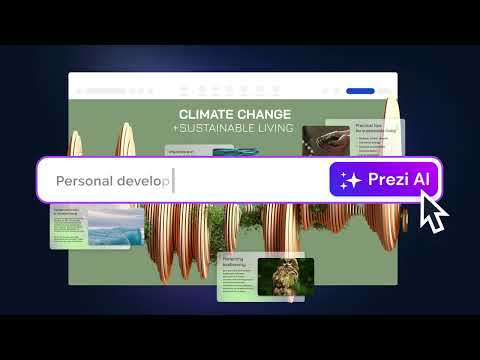
Meet Prezi AI: Your AI presentation tool
0:27
Tutorial0:27
Meet Prezi AI: Your AI presentation tool
Need to create a last-minute presentation? Look no further than Prezi AI! This video introduces you to the future of presentations, where artificial intelligence becomes your creative partner. Discover how Prezi AI takes the hassle out of creating an engaging AI presentation. See how it can: Generate impactful visuals in seconds based on your content. Craft a compelling narrative that guides your audience through your message. Boost your confidence with a polished and professional presentation. Whether you're a seasoned presenter or a newbie, Prezi AI empowers you to create presentations that move audiences and leave a lasting impression. Watch now and get a glimpse into how AI can transform the way you create presentations! Discover more resources: Meet Prezi AI: https://prezi.com/features/ai/ Prezi presentation templates: https://prezi.com/presentation-template/ Prezi presentation examples: https://prezi.com/gallery/ Blog: Tackle the “tomorrow problem”: Turn your last-minute presentation into a winning momentum https://blog.prezi.com/tomorrow-problem-last-minute-presentation/ Blog: Create engaging presentations faster with Prezi’s new AI text editing features https://blog.prezi.com/prezi-ai-text-editing-feature/ Blog: Embracing the future: the unparalleled benefits of AI in content creation https://blog.prezi.com/benefits-of-ai/ Blog: AI efficiency: the powerhouse behind a great workplace https://blog.prezi.com/ai-efficiency-explained/ Blog: How AI productivity tools are transforming professional industries https://blog.prezi.com/ai-productivity-tools/ Get started: Prezi Video: https://prez.is/xr1zaux/ Prezi Present: https://prez.is/1roay29/ Prezi Design: https://prez.is/vt2hzh7/ Learn more tips, articles, tutorials, and training on how to use Prezi: https://prez.is/kz7a2zg/ Follow us on social media: Linkedin: https://www.linkedin.com/company/prezi/ Twitter: https://twitter.com/prezi Facebook: https://www.facebook.com/prezicom Instagram: https://www.instagram.com/prezicom/ #aitools #presentation #prezi
How to Use Prezi AI to Design Presentations In Minutes | Prezi AI Tutorial for Beginners
1:13
Tutorial1:13
How to Use Prezi AI to Design Presentations In Minutes | Prezi AI Tutorial for Beginners
Discover how to design your next presentation 10× faster using Prezi AI, the smart, AI-powered presentation assistant that helps you generate, design, and edit your slides in minutes. 👇 Try it free at https://prez.is/PreziAItutorial/ and create presentations that inspire, engage, and impress your audience. In this video, you’ll learn how to: ✅ Generate a full presentation from a prompt or document ✅ Customize theme, layout, and design ✅ Improve structure, flow, and tone of your presentation ✅ Use AI effectively for different audiences and goals ⏳What you’ll learn: 00:00 – Introduction: What is Prezi AI 00:10 – How to generate a full presentation from a prompt or uploaded document (PPTX, PDF, DOCX) 00:28 – Review the AI-generated outline to customize your talking points 00:39 - Review the presentation and customize the design theme and colors 01:03 - Edit and finalize your presentation in the Prezi editor 01:09: Outro Prezi AI helps you skip the blank-slide struggle. All you need to do is just describe what you need, and Prezi AI builds a complete deck you can edit, brand, and present in seconds. 📍 Ideal for: Professionals, educators, content creators, and anyone who wants to design presentations faster and smarter. 💬 Have questions? Drop a comment below — we’d love to hear from you! ✨ Start for free at prezi.com and start creating AI-generated presentations today. Additional resources: https://blog.prezi.com/create-with-prezi-ai/ https://support.prezi.com/hc/en-us/articles/22436099469847-How-do-I-use-Prezi-AI-to-design-my-presentation
Is this the BEST AI Presentation maker of 2025? 🧐 Prezi AI
5:55
Tutorial5:55
Is this the BEST AI Presentation maker of 2025? 🧐 Prezi AI
✨ Try Prezi AI for FREE using my exclusive link below http://www.prezi.com/luis In this video, I'll test out Prezi's AI capabilities and I’ll walk you through how to create a full, non-linear presentation with AI. We'll test if Prezi is one of the best AI Presentation Makers of 2025. Let's go! ⏱️ Timestamps 00:00 Intro 00:23 What is Prezi AI? 00:51 Testing the AI builder 02:07 Editing the presentation 02:54 AI tools & design tweaks 03:36 Adding new content & visuals 04:14 Export, sharing & offline use 05:11 Final thoughts This video is sponsored by Prezi.com 😊 Download my PowerPoint Templates ➡️ https://www.luisurrutia.com 🤓 Tutorials on TikTok ➡️ http://www.tiktok.com/@lourrutia.ppt 🫶 Follow me on Instagram ➡️ http://www.instagram.com/lourrutiappt 💬 Chat with me ➡️ https://www.threads.net/@lourrutiappt #prezi #AIPresentationMaker #PresentationTips #AItools #ProductivityTools #PreziReview #AIforStudents #PresentationDesign

Who uses it

Real use cases, no hype
Corporate Training & Onboarding
Create engaging training sessions with built-in quizzes and tracking, exporting results to an LMS.
Educational Lectures
Turn passive lectures into interactive sessions with live polls, Q&A, and student review materials.
Conference Presentations
Hold a room with a dynamic canvas and engage a large audience via their phones.
Workshops & Webinars
Facilitate remote or hybrid sessions with real-time interaction and post-session content review.
Marketing & Sales Pitches
Create memorable, brand-aligned presentations that drive action and track audience interest.
Self-Paced Learning Modules
Turn presentations into standalone video or podcast-style resources with self-quizzes.
What's great
  • Highly engaging, non-linear presentation format.
  • Built-in audience response system (polls, quizzes, Q&A).
  • One tool replaces deck, polling, form, and screen recorder tools.
  • AI-powered content generation and restyling from prompts.
Technical strengths
  • AI drafting from plain-text descriptions.
  • QR code-based audience join requires no app or login.
  • SCORM export for LMS integration and completion tracking.
Where it falls short
  • Zoomable canvas can be disorienting if overused.
  • Steeper learning curve than traditional slide tools.
  • Advanced features are behind a paywall.
Technical limitations
  • Real-time collaboration features are less robust than dedicated tools.
  • Can be heavy on browser resources for very complex presentations.
For technical folks

The deep-dive specs

FAQ

Includes technical Q&A
A presentation platform focused on audience engagement. It uses a zoomable canvas, integrates live polls/quizzes/Q&A, and creates post-session learning materials.

Traffic Insights

Monthly Visits

—

October 2026

Growth Rate

0%

vs last month

Dominance

0%

in Productivity

Top Country

—

Top Countries Breakdown

—

Growth Trend

Stable

Traffic has remained stable.

Honest pricing

No sneaky tiers, no “contact sales”

Here's who each plan is actually for — and where the hidden charges might hit.

Basic
Free

Users

    Plus
    $5/mo

    Users

      View Full Plans & Pricing on Prezi

      Official pricing, checkout, and plan upgrades are handled directly on prezi.com.

      Reviews

      What the internet actually thinks

      Data refreshed weekly. No paid placements.

      Trustpilot
      Not reviewed yet
      G2
      G2
      Not reviewed yet
      C
      Capterra
      Not reviewed yet
      Product Hunt
      Not reviewed yet
      COMMUNITY COMMENTS

      Leave a Comment

      Help others make informed decisions. Your honest feedback shapes the community's understanding of this tool.

      Tips for commenting

      • •Be specific about features you used
      • •Share real use cases and results
      • •Mention both pros and cons
      • •Keep it honest and constructive
      to leave a comment

      Your comment is published immediately.

      Filter:
      Sort:

      No comments yet

      Be the first to share your experience with this tool.

      Alternatives

      Not quite the right fit?

      Here's what else is out there.