Notta

Notta

Notta is an AI-powered meeting notetaker that records, transcribes, and summarizes meetings, interviews, and lectures into searchable text and actionable visuals like infographics and presentations. It supports real-time transcription and translation in 58 languages, integrates with major platforms like Zoom and Salesforce, and includes features for privacy and collaboration. Designed for professionals who need to capture and extract value from conversations efficiently.

Productivity
Visit website
Added on
Sep 21, 2026
Monthly Visits
2.5M
AI Meeting NotetakerReal-time Transcription58 LanguagesBot-free RecordingNotta Brain AIZoom/Meet/Teams IntegrationSOC 2 Certified
Product information

Everything worth knowing about Notta

The complete picture — from everyday features to the technical detail builders and IT folks dig for.

Core features

What it actually does

Bot-free Meeting Recorder
Record meetings directly on your device without a bot joining the call.
Real-time Transcription
Transcribe live audio as you speak, with support for 58 languages.
AI Notes & Summaries
Automatically generate meeting summaries, action items, and key insights.
Cross-meeting Q&A (Notta Brain)
Ask questions across all your meetings to extract insights and create visuals.
Integration Ecosystem
Connect with Zoom, Google Meet, Teams, Slack, Salesforce, Notion, and Zapier.
Technical capabilities
Privacy Mode (On-device Transcription)
Processes transcription locally on your device; data never leaves your control.
Enterprise-grade Security
SOC 2 Type II certified, ISO 27001, GDPR, and HIPAA compliant.
Must watch videos
AI Chat is now Notta Brain
2:53
Tutorial2:53
AI Chat is now Notta Brain
Notta Brain is the new AI that turns meetings into real work. Notta Brain helps you analyze multiple meetings, connect context across conversations, and generate finished outputs — automatically. Use Notta Brain to: Cross-analyze multiple meetings and documents in one chat Turn discussions into presentation-ready slides. Convert long conversations into clear visual summaries and infographics. Generate structured reports, tables, and drafts in seconds. Search across recordings using natural language. Simply type “@” to reference meetings or files, ask a question, and let Notta Brain do the work. From conversations to slides, visuals, and decisions — this is your Second Brain for meetings. 👉Learn more: https://www.notta.ai/en #notta #aitools #productivitytips
How to Use Notta AI Chat to Extract Action Items from Meeting Transcripts
1:47
Tutorial1:47
How to Use Notta AI Chat to Extract Action Items from Meeting Transcripts
Drowning in meeting recordings? Stop reading full transcripts to find what matters. In this video, Mario demonstrates how to use Notta’s AI Chat feature to instantly identify pending tasks, decisions, and specific details from your meetings. In this video, you will learn: 1. How to access the AI Chat in the Notta Dashboard. 2. The best questions to ask AI to get instant summaries. 3. How to find specific details (like numbers) from hour-long calls. 4. How to save AI answers directly to your notes for a clean to-do list. #Notta #AIproductivity #MeetingNotes #WorkHacks #NottaTutorial Signup for Notta here: https://bit.ly/3M9xSvn Get Notta APP: https://notta.onelink.me/HOdi/yqev8ee7
From 2 Hours to 0 Seconds: How I Turned Google Meet into an Automated Production Line
1:42
Tutorial1:42
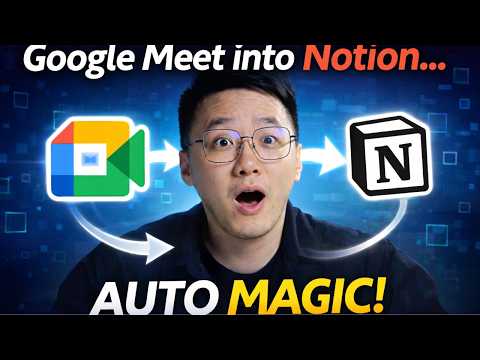
From 2 Hours to 0 Seconds: How I Turned Google Meet into an Automated Production Line
Stop wasting hours transcribing meetings and chasing action items! In this video, I’m showing you the exact workflow I use to turn chaotic Google Meet sessions into organized, actionable databases in Notion using Notta. Whether you’re a project manager, freelancer, or student, this automation will save you hours of manual labor every week. In this video, you’ll learn: 📌How to deploy a Notta bot to join your meetings automatically. 📌Real-time transcription secrets for multi-language calls. 📌The "One-Click" sync: Exporting transcripts and AI summaries directly to Notion. 📌How to structure your Notion database to handle automated meeting minutes. Signup for Notta here: https://bit.ly/3M9xSvn Get Notta APP: https://notta.onelink.me/HOdi/yqev8ee7

Who uses it

Real use cases, no hype
Sales Call Intelligence
Transcribe and analyze sales calls to extract buying criteria, action items, and generate follow-up emails.
Client Deliverable Automation
Turn client interviews and meetings into professional PowerPoint decks and infographics in minutes.
Interview & Lecture Transcription
Automate note-taking for qualitative research, journalism, or education, making content searchable.
Cross-Meeting Insight Mining
Use Notta Brain to search across all past meeting transcripts to find trends and answers.
Multilingual Collaboration
Enable real-time bilingual transcription and translation for international team meetings.
Private Note-Taking
Use the desktop app for bot-free recording and on-device transcription for sensitive discussions.
What's great
  • Generous free tier with 120 minutes/month and 10 AI summaries.
  • Instant visual deliverables like PPTs and infographics.
  • Bot-free recording option for privacy-sensitive meetings.
  • Supports 58 languages for transcription and translation.
Technical strengths
  • Strong compliance (SOC 2, GDPR, HIPAA, ISO 27001).
  • Hybrid recording: cloud bot, device app, and hardware memo.
  • Cross-meeting AI Q&A with Notta Brain (RAG-style search).
Where it falls short
  • Free plan caps recordings at 3 minutes per file.
  • Key features like video recording and CRM sync require Business plan.
  • On-device transcription (Privacy Mode) is a separate, limited feature.
  • Notta Brain is an expensive add-on with credit-based usage.
Technical limitations
  • Limited AI content generation languages (5 vs. 58 transcription).
  • Per-account limits on translation features even on paid plans.
For technical folks

The deep-dive specs

FAQ

Includes technical Q&A
The free plan offers 120 transcription minutes/month with 3-minute file limits and no translation. Pro ($8.17/mo) provides 1,800 minutes, 5-hour files, transcript export, translation, and custom vocabulary.

Traffic Insights

Monthly Visits

2.5M

November 2026

Growth Rate

0%

vs last month

Dominance

0%

in Productivity

Top Country

Japan

69% of traffic

Top Countries Breakdown

Japan
69%
United States
6%
France
2%
South Korea
2%
Vietnam
2%

Growth Trend

Stable

Traffic has remained stable.

Honest pricing

No sneaky tiers, no “contact sales”

Here's who each plan is actually for — and where the hidden charges might hit.

Free
Free

Individuals

  • 1 seat
  • 120 transcription minutes/month
  • Up to 3 minutes per conversation
  • 50 file uploads/month
  • 10 AI Summary/month
  • Transcribe web meetings
  • Speaker identification
Pro
Most picked
$8.17/mo

Professionals

  • 1 seat
  • 1800 transcription minutes/month
  • Up to 5 hours per recording
  • 100 file uploads/month
  • 100 AI Summary/month
  • Everything in Free
Business
$16.67/mo

Teams

  • Unlimited transcription
  • Up to 5 hours per recording
  • 200 file uploads/month
  • 200 AI Summary/month
  • Everything in Pro
  • plus: Record web meeting video
  • Advanced data security controls
Enterprise
Custom

Enterprise

  • Starting from 51 seats
  • Customized transcription
  • Up to 5 hours per recording
  • Unlimited file uploads
  • Unlimited AI summary
  • Everything in Business
  • plus: SAML SSO
View Full Plans & Pricing on Notta

Official pricing, checkout, and plan upgrades are handled directly on notta.ai.

Reviews

What the internet actually thinks

Data refreshed weekly. No paid placements.

Trustpilot
Not reviewed yet
G2
G2
Not reviewed yet
C
Capterra
Not reviewed yet
Product Hunt
Not reviewed yet
COMMUNITY COMMENTS

Leave a Comment

Help others make informed decisions. Your honest feedback shapes the community's understanding of this tool.

Tips for commenting

  • •Be specific about features you used
  • •Share real use cases and results
  • •Mention both pros and cons
  • •Keep it honest and constructive
to leave a comment

Your comment is published immediately.

Filter:
Sort:

No comments yet

Be the first to share your experience with this tool.

Alternatives

Not quite the right fit?

Here's what else is out there.