Newsela

Newsela

Newsela is an instructional content and assessment platform for K-12 education. It provides a vast library of over 18,000 non-fiction texts and videos, published at five different reading levels to support differentiated instruction across ELA, social studies, and science. The platform includes AI-powered scaffolds, multimedia resources like simulations, and integrated assessment tools through its Formative product for real-time tracking of student growth. Targeted at educators and districts, Newsela aims to streamline curriculum delivery, provide actionable data, and drive learning outcomes with research-backed solutions.

Productivity
Visit website
Added on
Sep 18, 2026
K-12 EdTechMulti-level textsAI scaffoldsFormative assessmentDistrict data analytics
Product information

Everything worth knowing about Newsela

The complete picture — from everyday features to the technical detail builders and IT folks dig for.

Core features

What it actually does

Multi-Level Reading Content
Authentic texts from trusted sources are published at five reading levels, making content accessible and challenging for every learner.
Subject-Specific Products
Purpose-built products for ELA, Social Studies, and Science classrooms to drive student outcomes.
Integrated Assessment & Data
Connects curriculum, instruction, and assessment tools to provide comprehensive insights and track student growth.
Standards Alignment
All content is aligned to state standards and vetted to contribute to learning outcomes.
Technical capabilities
AI-Powered Scaffolds
Uses AI to provide digital scaffolds that make grade-level content accessible for all learners.
LMS & SIS Integrations
Works with third-party LMS and providers for streamlined classroom management and data syncing.
Real-Time Data & Reporting
Provides real-time, actionable data through dashboards and reports connecting district goals to student achievement.
Must watch videos
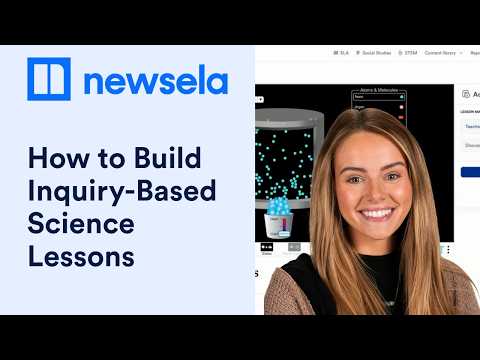
Spark Inquiry with Newsela Science & STEM | Teacher Webinar
33:12
Tutorial33:12
Spark Inquiry with Newsela Science & STEM | Teacher Webinar
Explore practical ways to spark curiosity and build inquiry-based science lessons with Newsela Science and STEM. In this full webinar replay, see how teachers can connect phenomena, science texts, simulations, data, and evidence-based writing in one inquiry journey. Watch the full webinar to follow a states-of-matter example from the first spark of curiosity through investigation and explanation. You’ll explore how to: • Start science lessons with phenomena and real-world questions • Build background knowledge with differentiated science texts • Use Generation Genius videos to launch inquiry • Give students opportunities to investigate with PhET simulations and TUVA datasets • Support scientific explanations with claim-evidence-reasoning activities • Use ready-to-go lesson resources, graphic organizers, and assignment options • Find pathways for both Newsela Science and Newsela STEM subscribers Chapters: 00:00 Welcome 00:52 Spark inquiry with Newsela Science and STEM 06:51 What you’ll learn 09:23 Experience an inquiry spark 12:28 Common barriers to inquiry-based science 14:35 The inquiry journey: Spark to explanation 15:59 Spark curiosity with science resources 17:39 Build knowledge with differentiated texts 19:02 Investigate with CER, data, and simulations 20:33 Save prep time with ready-to-use resources 21:40 Newsela STEM walkthrough 24:07 Launch inquiry with Generation Genius 27:14 Build science literacy with Newsela texts 31:24 Investigate with PhET simulations 33:42 Explore real-world data with TUVA 37:30 Synthesize learning with scientific arguments 37:51 Review the full inquiry journey 39:18 Teacher perspective 40:26 Bring the inquiry journey to your classroom 42:22 Next steps and resources #Newsela #STEMEducation
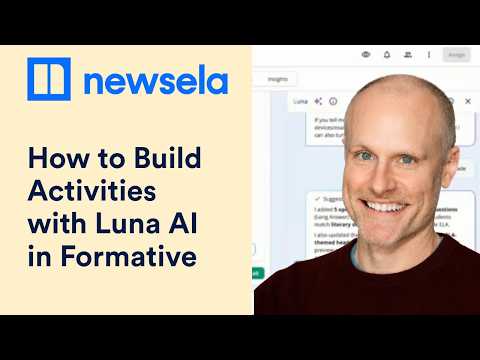
How to Build Activities with Luna AI in Formative by Newsela
32:32
Tutorial32:32
How to Build Activities with Luna AI in Formative by Newsela
Learn how to build classroom activities with Luna AI in Formative by Newsela. This hands-on training shows how Luna can support activity creation, practice, differentiation, and instructional next steps inside Formative. You’ll explore how to: * Create a Formative and open Luna. * Generate free-response, matching, math, and other classroom questions. * Review, edit, regenerate, or customize Luna-generated activities. * Tag generated questions to selected standards. * Add hints and answer-choice explanations to support students. * Generate practice sets for vocabulary, skills, and review. * Customize practice sets with images, audio, and different practice modes. * Add accommodations and assign activities to individual students or groups. * Review responses and Insights to identify instructional next steps. Chapters: 00:00 Meet Andy Sullivan 00:56 What you can build with Luna 02:13 What Luna does in Formative 03:03 Create a Formative 05:23 Open Luna 06:02 Generate classroom questions 07:48 Review and edit Luna-generated questions 09:55 Generate math questions 11:10 Tag questions to standards 13:34 Try Luna yourself 15:19 Create practice sets with Luna 16:44 Build multilingual vocabulary practice 18:10 Practice sets for science and math 20:47 Review practice-set activity 21:02 Add hints and answer-choice explanations 22:31 Add student accommodations 24:24 Review responses and Insights 26:43 Turn insights into next steps 28:12 Practice, Q&A, and workflow examples Start with one activity you already need to create, then see how Luna can support your workflow in Formative. #FormativeByNewsela #LunaAI #TeacherTools
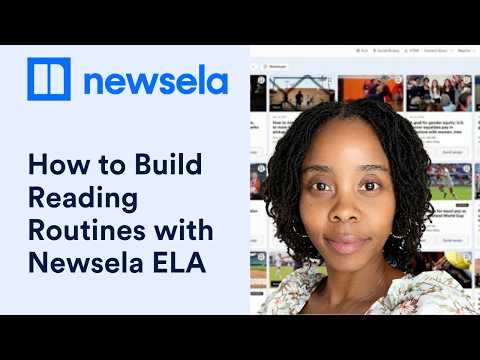
How to Build Reading Routines with Newsela ELA
30:53
Tutorial30:53
How to Build Reading Routines with Newsela ELA
Build flexible reading routines with Newsela ELA using relevant content, quizzes, Checks for Understanding, annotations, write prompts, and other classroom supports. See how to turn Newsela ELA resources into repeatable routines that fit what you already teach. In this teacher training, you’ll explore how to: * Find and save relevant Newsela ELA content. * Build a core reading-and-quizzing routine. * Support access with differentiated texts and reading supports. * Deepen comprehension with annotations, guided highlighting, graphic organizers, and Checks for Understanding. * Extend learning with Power Words, discussion questions, and customizable write prompts. * Use Luna for lesson-planning support. * Fit Newsela into do nows, read-alouds, homework, small groups, debates, jigsaws, and gallery walks. Chapters: 00:00 Welcome and meet Natosha Diggs 01:33 Build flexible Newsela ELA reading routines 03:32 Find and save relevant content 05:27 Explore Newsela ELA resources 08:11 Build a reading-and-quizzing routine 11:36 Support access to the text 13:41 Explore and save resources 17:20 Deepen reading comprehension 18:29 Use Checks for Understanding 20:48 Extend learning with Power Words 21:25 Add customizable write prompts 24:04 Plan with Luna 25:17 Assign content from search 26:41 Build routines into your week 28:29 More ways to use Newsela 29:27 Choose your reading routine Start with one routine that fits your classroom, then build from there. #NewselaELA #ReadingInstruction #TeacherTools

Who uses it

Real use cases, no hype
Differentiated Literacy Instruction
Use auto-leveled articles to teach the same current event to a class with varied reading abilities.
Formative Assessment & Exit Tickets
Deploy quick, standards-aligned checks for understanding via the Formative integration during lessons.
Data-Driven Intervention Planning
Leverage Schoolytics dashboards to identify struggling students and track intervention efficacy.
Core Curriculum Gap Filling
Supplement existing textbooks with fresh, multimedia content to enhance engagement and relevance.
Social-Emotional Learning (SEL) Integration
Use the SEL Collection add-on to embed CASEL-aligned activities into core subject instruction.
Professional Learning Communities
Access certification paths and PD resources to standardize teaching practices across a department.
Virtual & Hybrid Classroom Support
Maintain instructional continuity with a flexible platform accessible for in-person and remote learners.
What's great
  • Massive, standards-aligned content library (18k+ texts) across core subjects.
  • Differentiates content to 5 reading levels for accessibility.
  • Integrated assessment (Formative) and data analytics (Schoolytics).
  • Proven efficacy via ESSA Tier II studies.
  • Content sourced from trusted partners and vetted for instruction.
Technical strengths
  • Scaffolds powered by AI to support diverse learners.
  • Real-time data syncs and custom dashboard capabilities via Schoolytics.
Where it falls short
  • Full features require district-level subscription; limited free 'Lite' version.
  • Premium pricing may be prohibitive for individual or small schools.
  • Heavy focus on ELA/SS/Science; weaker in math-specific content.
  • Some advanced tools (e.g., SEL Collection) are paid add-ons.
  • Platform can feel overwhelming for new teacher onboarding.
Technical limitations
  • AI-powered features are proprietary, limiting customization.
  • Reliance on internet connectivity for core functionality.
For technical folks

The deep-dive specs

FAQ

Includes technical Q&A
Newsela is a content platform providing real-world, standards-aligned texts and videos for ELA, social studies, and science, published at multiple reading levels to support all learners.

Traffic Insights

Monthly Visits

—

October 2026

Growth Rate

0%

vs last month

Dominance

0%

in Productivity

Top Country

—

Top Countries Breakdown

—

Growth Trend

Stable

Traffic has remained stable.

Pricing overview
Paid Pricing

Newsela Pricing

Newsela uses a paid pricing structure. Real-time rates, custom enterprise quotas, and plan details are managed directly on their official platform.

Check Pricing on Newsela
Reviews

What the internet actually thinks

Data refreshed weekly. No paid placements.

Trustpilot
Not reviewed yet
G2
G2
Not reviewed yet
C
Capterra
Not reviewed yet
Product Hunt
Not reviewed yet
COMMUNITY COMMENTS

Leave a Comment

Help others make informed decisions. Your honest feedback shapes the community's understanding of this tool.

Tips for commenting

  • •Be specific about features you used
  • •Share real use cases and results
  • •Mention both pros and cons
  • •Keep it honest and constructive
to leave a comment

Your comment is published immediately.

Filter:
Sort:

No comments yet

Be the first to share your experience with this tool.

Alternatives

Not quite the right fit?

Here's what else is out there.