LinearB

LinearB

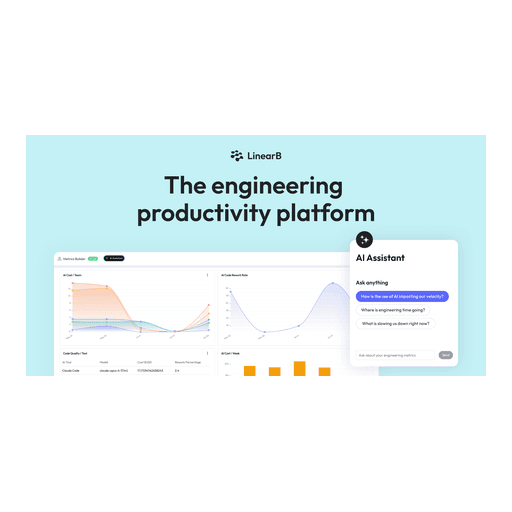
LinearB is an engineering productivity platform that helps teams measure and improve their software delivery pipeline, with a core focus on quantifying the impact of AI coding tools. It provides AI-powered code reviews, DevOps workflow automation, developer experience optimization, and executive reporting. The platform integrates with major Git providers (GitHub, GitLab, Bitbucket, Azure DevOps), project management tools (Jira, Azure Boards), and communication platforms (Slack, Microsoft Teams). Key capabilities include tracking DORA metrics, forecasting project delivery with Monte Carlo simulations, automating PR workflows, and generating audit-ready reports for R&D cost capitalization. It targets engineering leaders, managers, and DevOps teams at companies with 50+ developers who need to prove ROI on engineering investments and AI adoption. LinearB is SOC 2 Type II, SOC 1 Type II, GDPR, and ISO 27001 compliant. It offers a freemium model with Essentials ($29/user/month) and Enterpr

Automation
Visit website
Added on
Sep 19, 2026
Engineering productivityAI code reviewsWorkflow automationDeveloper surveysDORA metricsSOC 2 Type IIGDPR compliant
Product information

Everything worth knowing about LinearB

The complete picture — from everyday features to the technical detail builders and IT folks dig for.

Core features

What it actually does

AI Code Reviews
Automated analysis to catch security risks, bugs, performance issues, and spec mismatches before code is merged.
AI & Developer Productivity Insights
Track and measure the impact of AI coding tools on delivery velocity, code quality, and team health.
DevOps Workflow Automation
Policy-based PR routing, approvals, and test enforcement to automate developer workflows.
Developer Experience Optimization
Identify friction points with delivery metrics, qualitative feedback, and MCP-driven insights.
Resource Allocation & Cost Capitalization
Shape investment strategies and generate audit-ready reports to capitalize engineering costs.
Technical capabilities
MCP Server
A Model Context Protocol server allowing chat with your data to spot patterns and boost output.
API Integrations
REST API for measurements, deployments, incidents, and external custom metrics.
Must watch videos
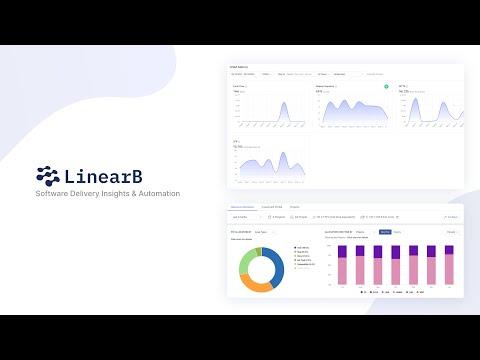
Software Engineering Intelligence with LinearB
3:13
Tutorial3:13
Software Engineering Intelligence with LinearB
Software engineering leaders create the value that drives revenue. To succeed, they have to fulfill a dual mandate: maximize operational efficiency and align their resources to business goals. Answering the dual mandate begins with LinearB's software engineering intelligence solutions. Combining software delivery insights, engineering investment visibility, and workflow automation, LinearB helps leaders deliver more business value, improve developer efficiency, and foster a culture of predictable software delivery. Using LinearB’s 5-step engineering success model, engineering leaders will see better outcomes. Learn more about each step in the links below: Step 1: Engineering Metrics Program ►►https://linearb.io/resources/engineering-leader-guide-to-building-a-metrics-program?utm_source=Youtube&utm_medium=social&utm_campaign=202402+-+Video+-+SEI Step 2: Resource Allocation ►► https://linearb.io/resources/engineering-leader-guide-to-resource-allocation?utm_source=Youtube&utm_medium=social&utm_campaign=202402+-+Video+-+SEI Step 3: Business Goals & Reporting ►► https://linearb.io/resources/engineering-leader-guide-to-goals-and-reporting?utm_source=Youtube&utm_medium=social&utm_campaign=202402+-+Video+-+SEI Step 4: Programmable Workflows ►► https://linearb.io/resources/engineering-leader-guide-to-programmable-workflows?utm_source=Youtube&utm_medium=social&utm_campaign=202402+-+Video+-+SEI Step 5: Predictable Project Delivery ►► https://linearb.io/resources/engineering-leader-guide-to-predictable-project-delivery?utm_source=Youtube&utm_medium=social&utm_campaign=202402+-+Video+-+SEI If you want to take the first steps to predictable project delivery, reach out and we'll be happy to help: https://linearb.io/book-a-demo?utm_source=Youtube&utm_medium=social&utm_campaign=202402+-+Video+-+SEI
AI Insights Dashboard Demo
4:50
Tutorial4:50
AI Insights Dashboard Demo
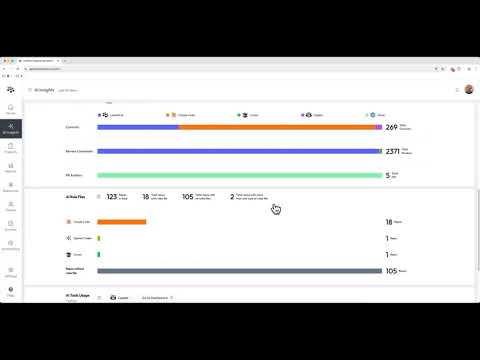
Understanding the true impact of AI tools on productivity is a key challenge for engineering leaders. It's essential to know if these tools are improving performance or creating downstream issues, such as increased code rework. In this quick demo, Andrew Zigler from LinearB shows you how to use the AI Insights Dashboard to get a comprehensive view of how AI tools affect your software delivery lifecycle. You'll see how to measure AI adoption and its impact on your engineering organization's performance. In this video, you'll learn how to: • Compare AI-generated code vs. human-driven activity (commits, comments, PRs) to see a clear distribution of AI's footprint. • View trends on AI tool adoption and code acceptance rates over time. • Correlate AI usage with key quality metrics like Rework Rate, Refactor Rate, and PR Size to understand its downstream impact. • Combine these quantitative metrics with qualitative developer feedback from Surveys to get a complete, holistic view of AI's effectiveness. To get these actionable insights for your own team, start a free trial: ➡️ https://linearb.io/start-free-trial Questions? 💻 Learn more about LinearB: https://linearb.io/ 📩 Book a demo: https://linearb.io/book-a-demo?utm_source=YouTube&utm_medium=social&utm_campaign=202504-ai-product-announcement&utm_content=Workshop Chapters: 00:00 Introduction 00:18 Compare AI vs. Human Activity (Commits, Comments & PRs) 01:32 Track Developer Adoption & Acceptance Rates 02:26 Combine with Qualitative Survey Feedback 03:36 Correlate AI Impact on Rework & Refactor Rates 04:38 Summary
LinearB MCP Server Prompt Demo
3:43
Tutorial3:43
LinearB MCP Server Prompt Demo
This demo showcases the LinearB MCP server, a tool that connects with Anthropic's Claude to help engineering teams gain deep insights into their data. By conversing with your LinearB data, you can quickly get actionable reports on things like high-impact pull requests, team lead times, and merge rates, all presented in a consistent and repeatable format. Chapters: 00:00 Introduction 00:05 Connecting with Claude 00:20 Querying LinearB Data 00:41 Using the MCP Server for Insights 00:59 Creating Consistent User Experiences 01:18 Fetching PR Information 01:34 Exploring Lead Time Dashboard 02:01 Consistent Metrics Reporting 02:34 Predefined Prompts for Dashboards 03:17 Demo Wrap-Up and Future Potential

Who uses it

Real use cases, no hype
Measuring AI Tool ROI
Quantify the impact of tools like GitHub Copilot or Cursor on cycle time, PR throughput, and code quality.
Engineering Cost Capitalization
Automate the creation of audit-ready reports to capitalize R&D costs for financial reporting.
Automating PR Governance
Enforce PR routing, required reviews, and test policies via programmable, code-based rules.
Predicting Delivery Timelines
Use Monte Carlo forecasting and project tracking to set and meet delivery commitments.
Improving Developer Experience
Surface team friction points with delivery metrics and anonymous satisfaction surveys.
Executive Reporting & Budgeting
Visualize engineering investment, resource allocation, and cost profiles for leadership.
AI Code Review & Quality Gates
Catch security vulnerabilities, bugs, and specification mismatches before code merges.
What's great
  • Deep AI impact measurement and reporting for tool ROI.
  • Comprehensive DORA metrics and delivery forecasting.
  • Powerful policy-based PR workflow automation (gitStream).
  • Strong security compliance (SOC 2 Type II, ISO 27001).
  • Unified view of AI and human code delivery.
Technical strengths
  • MCP Server enables natural language data queries.
  • On-prem agent option for air-gapped environments.
Where it falls short
  • Expensive for smaller teams; starts at 50+ developers.
  • Essentials plan lacks core insights and forecasting.
  • Annual billing only; no monthly flexibility.
  • Credit system adds complexity to cost management.
  • Essentials plan is GitHub Cloud only.
Technical limitations
  • Workflow automations via gitStream unsupported on Azure DevOps/Bitbucket on-prem.
  • API rate limits may constrain heavy custom integration use.
For technical folks

The deep-dive specs

FAQ

Includes technical Q&A
It’s a 45-day free trial, with no commitment or payment method required, of the full LinearB platform including all AI actions, automation, and MCP server capabilities.

Traffic Insights

Monthly Visits

—

October 2026

Growth Rate

0%

vs last month

Dominance

0%

in Automation

Top Country

—

Top Countries Breakdown

—

Growth Trend

Stable

Traffic has remained stable.

Honest pricing

No sneaky tiers, no “contact sales”

Here's who each plan is actually for — and where the hidden charges might hit.

Free
Free

Users

    Pro
    $29/mo

    Users

      View Full Plans & Pricing on LinearB

      Official pricing, checkout, and plan upgrades are handled directly on linearb.io.

      Reviews

      What the internet actually thinks

      Data refreshed weekly. No paid placements.

      Trustpilot
      Not reviewed yet
      G2
      G2
      Not reviewed yet
      C
      Capterra
      Not reviewed yet
      Product Hunt
      Not reviewed yet
      COMMUNITY COMMENTS

      Leave a Comment

      Help others make informed decisions. Your honest feedback shapes the community's understanding of this tool.

      Tips for commenting

      • •Be specific about features you used
      • •Share real use cases and results
      • •Mention both pros and cons
      • •Keep it honest and constructive
      to leave a comment

      Your comment is published immediately.

      Filter by rating:
      Sort by:

      No comments yet

      Be the first to share your experience with this tool.

      Alternatives

      Not quite the right fit?

      Here's what else is out there.