Directory/Design & Creative/Website Builders/Hostinger AI Website Builder
Hostinger AI Website Builder

Hostinger AI Website Builder

Hostinger's AI Website Builder is an all-in-one platform that uses artificial intelligence to generate professional websites from scratch in minutes. It offers two distinct approaches: AI generation with drag-and-drop editing for quick, templated sites, and 'vibe coding' for a fully conversational, prompt-driven creation process that can produce unique websites and web applications. It's tightly integrated with hosting, domain registration, and e-commerce features, providing a managed solution. Key capabilities include generating responsive layouts, SEO-optimized content, and e-commerce functionality based on a text description. It also includes an AI assistant named Kodee for maintenance and content creation. The tool is designed for users with zero coding experience, abstracting away technical details like SSL, CDN, and hosting configuration. The target users are entrepreneurs, small business owners, freelancers, and creators who need a professional online presence quickly without

Design & Creative
Visit website
Added on
Jul 13, 2026
Monthly Visits
84.2M
AI generationDrag-and-dropVibe codingEcommerceAI toolsFree domainResponsive designZero feesDigital goodsFree SSL
Product information

Everything worth knowing about Hostinger AI Website Builder

The complete picture โ€” from everyday features to the technical detail builders and IT folks dig for.

Core features

What it actually does

AI Website Generation from Prompt
Describe your idea and the AI creates a complete website instantly.
Drag-and-Drop Editor
Customize your site visually with an easy drag-and-drop interface.
Vibe Coding
Build and customize websites through conversation with AI.
Integrated Ecommerce
Sell physical and digital goods with 0% transaction fees.
AI Tools Suite
Includes AI logo generator, content writer, and SEO assistant.
Technical capabilities
NVMe SSD Storage
Websites hosted on high-speed NVMe SSD storage for fast performance.
Automated Backups
Weekly or daily backups depending on plan, with easy restore.
Must watch videos
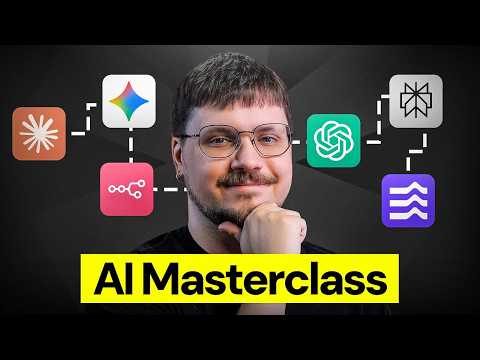
Learn AI: 3 Years of Knowledge Explained in 10 Minutes
8:51
Tutorial8:51
Learn AI: 3 Years of Knowledge Explained in 10 Minutes
Learn AI from scratch. Your practical crash course on AI basics, tools, and a 30-day plan to get started ๐Ÿš€ Ready to learn AI but not sure where to start? This video is your complete beginner's guide to AI basics. Whether you've been on the sidelines wondering what all the hype is about, or you've dabbled but never felt confident, this crash course will change that. If you're looking for the best way to learn AI for beginners, start here: we break down exactly how to learn AI tools, from chatbots and image generators to automation and AI agents. You'll walk away knowing what each tool does, when to use it, and how to get results that actually save you time. You'll also learn the C.O.R.E. prompting framework, the 10/80/10 method for using AI as a thinking partner, and a practical 30-day plan so you can learn AI for beginners step by step, building real skills without overwhelm. Plus, we cover essential AI safety and privacy rules so you can use these tools confidently and responsibly. ๐Ÿ“Œ Handy Links: ๐Ÿš€ Get started with Hostinger Horizons https://hostingeracademy.com/4p8yb8Q ๐Ÿ’ฅ Get 10% off with code HA1 HT: Build a Website with Hostinger Horizons https://hostingeracademy.com/4o7gGW7 HT: Vibe Coding Basics - Full Guide for Beginners https://hostingeracademy.com/3OXDg6d HT: 6 Hostinger Horizons Prompting Tips Beginners https://hostingeracademy.com/3ORbuZe HT: How to Create a website with ChatGPT https://hostingeracademy.com/4tSEChc Try Canva AI: https://www.canva.com/ai-assistant/ Try Nano Banana Pro: https://gemini.google.com/app Try Eleven Labs: https://elevenlabs.io/ ๐Ÿ’ฅ What can AI actually do for you today? Discover what Large Language Models (LLMs) are and how chatbots, AI skills, and AI agents all fit together, so you know exactly what you're working with before you dive in. ๐Ÿ‘‰ How do you write better prompts? The C.O.R.E. framework explained. Learn the four-part prompting method that separates frustrating AI outputs from results you'll actually use. ๐Ÿ“Œ How can you use AI as a thinking partner, not just a task executor? Explore the 10/80/10 framework: how to set direction, let AI do the heavy lifting, and then refine the output so it still sounds like you. ๐Ÿ’ฅ Which AI tools should beginners learn first? A practical breakdown of thinking tools (ChatGPT, Claude, Perplexity, Gemini), creation tools (Canva AI, ElevenLabs), and automation tools (n8n, Hostinger Horizons), with guidance on when to use each. ๐Ÿ‘‰ What is the best 30-day plan to learn AI from scratch? A week-by-week action plan: master prompting, explore tools, apply AI to a real project, and build your own repeatable workflow. ๐Ÿ“Œ What do beginners need to know about AI safety and privacy? Essential ground rules for using AI responsibly, including what never to share with public AI tools and how to apply the TRUST framework to verify high-stakes outputs. ๐Ÿ•’ Timestamps 00:00 - Introduction 00:35 - What Can You Do With AI Today? 01:48 - How to Prompt AI Models: The C.O.R.E. Framework 02:54 - How to Use AI as a Thinking Partner 03:52 - Which AI Tools Should Beginners Use? 06:03 - Your 30-Day Plan to Learn AI 07:09 - AI Safety and Privacy Basics โญFollow Usโญ TikTok: https://www.tiktok.com/@hostingeracademy Instagram: https://www.instagram.com/hostingeracademy/ Twitter: https://twitter.com/Hostinger Facebook: https://www.facebook.com/Hostinger/ Reddit: https://www.reddit.com/r/Hostinger Hostinger Tutorials: https://www.hostinger.com/tutorials โ–ถ Subscribe to our channel: https://www.youtube.com/c/HostingerAcademy/?sub_confirmation=1 Start your 30-day AI learning plan today. Subscribe for weekly tutorials that go deeper on every tool and skill covered in this video. Three. Two. Online ๐Ÿš€ #learnai #aiforbeginners #aibasics #howtolearmai #learnaitools #learmai #leanrAI #ailearning #hostingeracademy
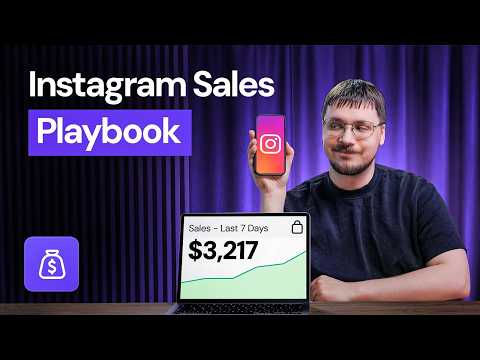
How to Sell on Instagram with less than 500 Followers - Full Guide (2026)
8:44
Tutorial8:44
How to Sell on Instagram with less than 500 Followers - Full Guide (2026)
You don't need a big following to sell on Instagram. Here's how to sell on Instagram the right way ๐Ÿš€ Want to learn how to sell on Instagram, even with a small following? This video gives you a complete and step-by-step breakdown of how to sell products on Instagram using three proven methods: selling through DMs, using a link-in-bio tool, and setting up Instagram Shopping. If you've been wondering how to sell on Instagram without a huge audience, you're in the right place. We'll cover how to set up your Instagram shop, sync your product catalog, troubleshoot common issues, and build an Instagram marketing strategy that turns your profile into a sales funnel. Whether you're just getting started with Instagram shopping or looking to scale your existing Instagram shop, you'll walk away with a full system, from pinned posts and Story highlights to paid ads and influencer partnerships, so you can start selling on Instagram the right way. If you want to sell products on Instagram efficiently, this video has everything you need. ๐Ÿ“Œ Handy Links Get started with Hostingerโ€™s Link in Bio https://www.hostinger.com/link-in-bio?utm_source=youtube&utm_medium=organic&utm_campaign=hostingeracademy&utm_content= Get 10% off with code HA10 ๐ŸŸฃ Supported countries for Shops on Facebook and Instagram https://hostingeracademy.com/3QY3Ywj HT: Link in Bio Tutorial https://hostingeracademy.com/4tzCjAe HT: How to Run Meta Ads For Beginners https://hostingeracademy.com/4mRqovd HT: Automate Social Media Posts with n8n (Step-by-Step Tutorial) https://hostingeracademy.com/4txihq8 HT: How to Choose a Domain Name https://hostingeracademy.com/4tsaGZJ ๐Ÿ’ฅ The Three Ways to Sell on Instagram: What are the main methods for selling on Instagram - DMs, link-in-bio, and Instagram Shopping - and which one is right for your business? ๐Ÿ‘‰ How to Sell on Instagram Through DMs: How does comment-to-message automation work, and why do DMs have such high conversion rates for time-sensitive promotions and product launches? ๐Ÿ“Œ How to Use a Link-in-Bio Tool for Instagram Sales: What makes a great link-in-bio page, and how can Hostinger's built-in link-in-bio tool help you track and grow your sales? ๐Ÿ’ฅ How to Set Up Instagram Shopping: What do you need to get approved for Instagram Shopping, and how long does the approval process actually take? ๐Ÿ‘‰ How to Set Up and Sync Your Product Catalog: How do you connect your product catalog to Meta Commerce Manager, and what's the difference between manual uploads and auto-sync? ๐Ÿ“Œ How to Troubleshoot Instagram Catalog Issues: Why do Instagram catalog syncs fail, and how do you fix the most common issues, from image requirements to currency mismatches? ๐Ÿ’ฅ How to Turn Your Instagram Profile into a Sales Funnel: How can you optimize your profile for sales regardless of which selling method you're using? ๐Ÿ‘‰ How to Use Pinned Posts to Boost Instagram Sales: What should you pin to the top of your Instagram grid to maximize trust, conversions, and visibility? ๐Ÿ“Œ How to Use Story Highlights to Sell Your Brand: How do Story highlights help answer objections before a customer even sends a DM? ๐Ÿ’ฅ Should You Run Instagram Ads?: How do you start running Instagram ads on a small budget, and when should you scale? ๐Ÿ‘‰ How to Use Influencers and UGC to Grow Instagram Sales: Why do micro-influencers and user-generated content drive such strong results for Instagram shopping? ๐Ÿ•’ Timestamps 00:00 - Introduction 00:22 - 3 Ways to Sell on Instagram (DMs, Link in Bio, Instagram Shopping) 01:41 - Getting Started with Instagram Shopping 02:30 - Account Approval & Troubleshooting 03:20 - Setting Up Your Product Catalog 04:42 - Troubleshooting Catalog Sync Issues 05:29 - Tracking & Verifying Sales Events 06:06 - Optimizing Your Profile for Sales (Pinned Posts & Highlights) 07:16 - Advanced Selling Strategies (Automation, Ads & Influencers) 08:26 - Conclusion & Next Steps โญFollow Usโญ TikTok: https://www.tiktok.com/@hostingeracademy Instagram: https://www.instagram.com/hostingeracademy/ Twitter: https://twitter.com/Hostinger Facebook: https://www.facebook.com/Hostinger/ Reddit: https://www.reddit.com/r/Hostinger Hostinger Tutorials: https://www.hostinger.com/tutorials โ–ถ Subscribe to our channel: https://www.youtube.com/c/HostingerAcademy/?sub_confirmation=1 Ready to start selling on Instagram? Subscribe for more tips on growing your online business and drop a comment below telling us which method you're trying first! Three. Two. Online๐Ÿš€ #howtosellonInstagram #seloninstagram #sellingoninstagram #selloninsagram #howtoselonInstagram #instagramshop #instagrammarketing #instagramshopping #howtosellproductsoninstagram
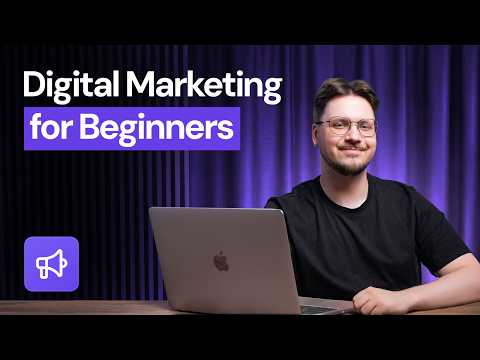
Digital Marketing 101 - The COMPLETE Guide for Beginners (2026)
9:03
Tutorial9:03
Digital Marketing 101 - The COMPLETE Guide for Beginners (2026)
Digital marketing for beginners in 2026: what's changed, what works, and your 90-day plan to start today๐Ÿ‘‡ ๐Ÿš€ Get started with Hostinger Reach + 10% off: https://www.hostinger.com/email-marketing?utm_source=youtube&utm_medium=organic&utm_campaign=hostingeracademy&utm_content= ๐Ÿš€ Download the free 90-day digital marketing framework: https://hostingeracademy.com/43tbbHE ๐Ÿ“Œ Hostinger Learning Lab โ€“ The Accelerator: https://www.hostinger.com/tutorials/learning-lab/audience-growth-strategy?utm_source=youtube&utm_medium=organic&utm_campaign=hostingeracademy&utm_content= ๐Ÿ“Œ How to Use Reddit for SEO and AI Visibility (Step-by-Step Strategy) https://www.youtube.com/watch?v=1w5wncB0W2k&t=4s ๐Ÿ‘‰ 47 Key Digital Marketing Statistics for Strategic Growth in 2026: https://www.hostinger.com/tutorials/digital-marketing-statistics ๐Ÿ‘‰ How to Create a Content Marketing Campaign in 8 Steps: https://www.hostinger.com/tutorials/how-to-create-a-content-marketing-campaign โฑ๏ธ TIMESTAMPS 00:00 - The State of Digital Marketing in 2026 00:18 - The Attention, Conversion, and Retention Model 01:00 - Choosing Your Digital Marketing Path 01:55 - Path 1: SEO + Content 02:17 - Path 2: Paid Ads Strategy 02:37 - Path 3: Short-Form Video for Personal Brands 02:56 - Path 4: Email & Landing Page Funnels 03:38 - Your 90-Day Digital Marketing Roadmap 04:35 - Weeks 3-6: Building the Habit 04:55 - Weeks 7-12: Analyzing Your Data 05:42 - How AI is Changing Search and Traffic 06:45 - The Importance of Building Community 07:45 - Why Email Marketing is Still Essential ๐Ÿš€ Video Description Digital marketing for beginners looks completely different in 2026 โ€” and most beginner guides haven't caught up. If you've tried to learn digital marketing from outdated tutorials, you already know the frustration: generic advice, information overload, and no clear starting point. This digital marketing 101 breakdown cuts through the noise with a framework built for how things actually work right now. What is digital marketing in 2026? It still runs on three fundamentals โ€” Attention, Conversion, and Retention โ€” but the balance has shifted dramatically. Social reach is down, ad costs are up, and AI-powered search is reshaping how people find businesses online. Knowing how to start digital marketing for beginners means understanding which of these three layers to focus on first โ€” and most beginners are focusing on the wrong one. This digital marketing tutorial walks you through four clear pathways (SEO + Content, Paid Ads, Short Form Video, and Email + Landing Page Funnel) and gives you a structured 90-day plan from day one. Whether you're a complete beginner or someone who's bounced off outdated guides before, this framework gives you real data โ€” not just theory โ€” so you know exactly what's working. ๐Ÿ’ฅ Chapter Outline What Is the Attention-Conversion-Retention Model? Every digital marketing strategy is built on three layers: Attention (how people find you), Conversion (what happens when they do), and Retention (how you keep them coming back). Most beginners over-invest in Attention while neglecting the two layers that actually drive revenue. To learn digital marketing for beginners that moves the needle, start with Conversion and Retention. Which Digital Marketing Path Is Right for You? There are four proven pathways to digital marketing for beginners: SEO + Content (best for local businesses and blogs), Paid Ads (best for scaling an existing presence), Short Form Video (best for visual and personal brands), and Email + Landing Page Funnel (best for service businesses and online courses). The right path depends entirely on what you're selling and who you're selling it to. How Do You Structure Your First 90 Days of Digital Marketing? The 90-day framework runs in three phases: Weeks 1โ€“2 build your foundation (one-page website, welcome email sequence, first distribution push); Weeks 3โ€“6 build the habit (consistent sends, community engagement, landing page traffic); Weeks 7โ€“12 gather data and double down on the content that's actually driving conversions โ€” not vanity metrics. How Is AI Changing Digital Marketing for Beginners in 2026? AI-powered search has reduced website traffic across industries by roughly 50%, making traditional SEO metrics harder to track. Platforms now prioritize businesses with a strong existing web presence โ€” so the best time to start building is right now, especially if you're a local business trying to show up in AI-generated answers. Why Is Email Marketing Still the Highest-ROI Channel in 2026? Unlike social media algorithms, email goes directly to someone who has asked to hear from you. In a zero-click, high-ad-cost environment, an email list is first-party data you own โ€” and building one early is one of the highest-leverage moves any digital marketing beginner can make. #digitalmarketing #marketing #marketingtips #hostinger #hostingeracademy

Who uses it

Real use cases, no hype
Digital Products Store
Sell ebooks, music, and digital art with automated delivery and no setup fees
Physical Products Store
Launch an online store with 100+ payment methods and zero transaction fees
Booking Site
Accept appointments and reservations with integrated scheduling tools
Business Showcase
Present your company, services, and contact info in a professional layout
Portfolio
Display creative work with gallery-style designs and customizable layouts
Link-in-Bio Page
Create a single landing page for social media links and call-to-actions
Web Application
Build interactive browser-based tools and apps using vibe coding conversations
What's great
  • Website generated from a single prompt in minutes
  • Free domain, hosting, and email for first year
  • Zero transaction fees on all sales
  • Choice of drag-and-drop or vibe coding builder
Technical strengths
  • Automatic SEO meta tags and sitemap generation
  • Mobile responsiveness enforced by AI
  • Built-in CDN and SSL on all plans
Where it falls short
  • Designs limited to AI templates and suggestions
  • Renewal prices significantly higher after promo
  • No direct code editing in drag-and-drop mode
  • Advanced ecommerce features limited to higher plans
Technical limitations
  • Vibe coding credits may require top-ups for heavy use
  • AI-generated content often requires manual editing
  • Migrating site out of Hostinger is complex
For technical folks

The deep-dive specs

AI Model
Proprietary LLM
Storage Type
NVMe SSD
Backup Frequency
Weekly or daily
SSL Certificate
Free auto-installed
CDN
Free integrated

FAQ

Includes technical Q&A
An AI website builder uses artificial intelligence to generate a custom website from a simple description, no coding required. Hostinger offers both AI generation with drag-and-drop and a vibe coding conversational builder.

Traffic Insights

Monthly Visits

84.2M

September 2026

Growth Rate

-15,8%

vs last month

Dominance

0%

in Design & Creative

Top Country

โ€”

Top Countries Breakdown

โ€”

Growth Trend

Declining

Traffic has decreased compared to last month.

Honest pricing

No sneaky tiers, no โ€œcontact salesโ€

Here's who each plan is actually for โ€” and where the hidden charges might hit.

Premium
$11/mo

Individuals

  • Up to 3 websites
  • Free domain for 1 year
  • 20 GB SSD storage
  • Free weekly backups
  • CDN
  • Integrated ecommerce
  • AI tools (logo
Unlimited
Most picked
$18/mo

Teams

  • Unlimited websites
  • Free domain for 1 year
  • 50 GB NVMe storage
  • Daily backups and easy restore
  • CDN
  • Integrated ecommerce
  • AI tools (logo
Cloud Startup
$27/mo

Enterprise

  • Unlimited websites
  • Free domain for 1 year
  • 100 GB NVMe storage
  • Daily and on-demand backups
  • CDN
  • Integrated ecommerce
  • AI tools (logo
Reviews

What the internet actually thinks

Data refreshed weekly. No paid placements.

Trustpilot
Not reviewed yet
G2
G2
Not reviewed yet
C
Capterra
Not reviewed yet
Product Hunt
Not reviewed yet
COMMUNITY COMMENTS

Leave a Comment

Help others make informed decisions. Your honest feedback shapes the community's understanding of this tool.

Tips for commenting

  • โ€ขBe specific about features you used
  • โ€ขShare real use cases and results
  • โ€ขMention both pros and cons
  • โ€ขKeep it honest and constructive
Sign in to leave a comment

Your comment will be published after moderation

Filter by rating:
Sort by:

No comments yet

Be the first to share your experience with this tool.

Alternatives

Not quite the right fit?

Here's what else is out there.

Detail tags
Found via these searches
#NoCode#WebsiteBuilder#AI#Ecommerce#Hosting