Gitingest

Gitingest

Gitingest converts any public Git repository into a single, prompt-friendly text digest. Paste a repo URL (or just swap 'hub' for 'ingest' in any GitHub URL) and it returns a structured summary, directory tree, and concatenated file contents with token estimates — everything an LLM needs to reason about a codebase in one shot. It handles the boring parts automatically: filtering binaries, lockfiles and noise, respecting .gitignore, and letting you scope by branch, subdirectory or file-size limits. Output is copy-paste or download ready, and it's also available as a Python package and a Chrome extension for one-click ingestion. Built for developers and founders who use ChatGPT, Claude, or Cursor for code review, onboarding, refactoring, and documentation. Fully open-source, self-hostable, and free — no account, no quotas, no upsell.

Coding
Visit website
Added on
Nov 4, 2026
Repo to textLLM-ready digestDirectory treeCopy & downloadChrome extensionPython packageOpen sourcehub→ingest URL
Product information

Everything worth knowing about Gitingest

The complete picture — from everyday features to the technical detail builders and IT folks dig for.

Core features

What it actually does

Repo-to-Digest Conversion
Paste any Git repository URL and get a single plain-text digest of the entire codebase, ready to paste into any LLM chat.
Directory Structure View
Generates a clean tree of the repository so the model (and you) can see how files are organized before reading the code.
Full File Contents
Includes the actual content of each file in the digest, not just names — so the LLM has real context to work with.
Copy All / Download
One-click copy of the whole digest to clipboard, or download it as a file for later use.
URL Shortcut
Swap 'hub' for 'ingest' in any GitHub URL and you land straight on the generated digest — no form filling.
Technical capabilities
Open Source & Self-Hostable
Source is on GitHub (coderamp-labs/gitingest) — run it yourself if you don't want to send repos through someone else's server.
llms.txt Endpoint
Ships a /llms.txt file so agents and crawlers can read the tool's own machine-friendly summary.
Must watch videos
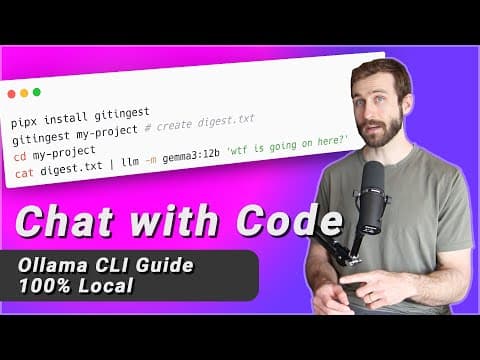
Gitingest — Convert GitHub repos into a clean, LLM-friendly format
21:49
Tutorial21:49
Gitingest — Convert GitHub repos into a clean, LLM-friendly format
AGENTIC CODING CLUB [ ⚡ my official community ] ► https://www.skool.com/zazencodes-agentic-coding-club-7823 ⚡ Weekly code-with-me sessions to ask questions ⚡ Full AI Engineer Roadmap course access NEWSLETTER [ 🚀 weekly email + zen guide for developers ] ► https://zazencodes.substack.com/ DISCORD [ 🎭 talk to zazenbot-5000 ] ► https://discord.gg/e4zVza46CQ PATREON [ 💵 tip jar ] ► https://patreon.com/ZazenCodes 0:59 - Using the Gitingest Web App 3:12 - Installing the Gitingest CLI 5:17 - Using Gitingest for Local Code 7:30 - How to use Code Markdown Digests with Local LLMs 8:46 - Local LLM Installation with Ollama 10:45 - Using Gitingest CLI on a GitHub repo 12:31 - How to Chat with Code using Ollama (+ Use Cases) 17:59 - Installing and Running the Gitingest Python Library
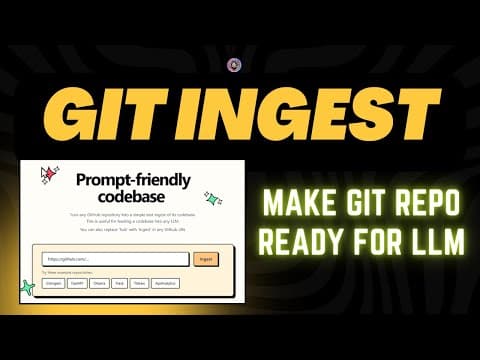
GitIngest: Make GitHub repo ready for LLM
9:19
Tutorial9:19
GitIngest: Make GitHub repo ready for LLM
In this video, I walk you through GitIngest, a powerful tool that converts GitHub repositories into text summaries optimized for AI and large language models (LLMs). You'll learn how to install GitIngest, analyze codebases, and generate prompt-friendly outputs for seamless AI integration. Whether you're a developer or working with AI models, this tool makes it super easy to extract insights from codebases. Don't forget to like, comment, and subscribe to my channel for more tutorials on AI tools and frameworks! 🚀 Gitingest: https://github.com/cyclotruc/gitingest Join this channel to get access to perks: https://www.youtube.com/channel/UC-zVytOQB62OwMhKRi0TDvg/join To further support the channel, you can contribute via the following methods: Bitcoin Address: 32zhmo5T9jvu8gJDGW3LTuKBM1KPMHoCsW UPI: sonu1000raw@ybl #gitingest #ai #aiagents
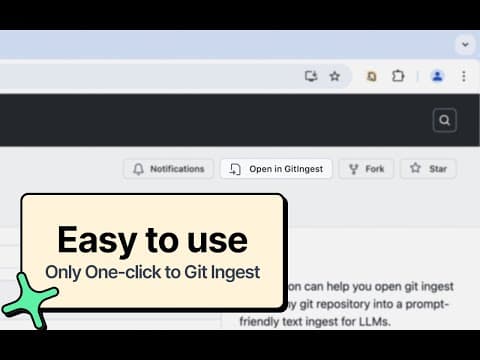
GitIngest Extension - Turn any Git repository into a prompt-friendly text ingest for LLMs.
0:30
Tutorial0:30
GitIngest Extension - Turn any Git repository into a prompt-friendly text ingest for LLMs.
Turn any Git repository into a prompt-friendly text ingest for LLMs. By replacing hub with ingest to access a coresponding digest. Transform GitHub repositories into LLM-ready prompts instantly! 🚀 Simply replace "github.com" with "gitingest.com" in any repository URL, or use our one-click button to get AI-optimized code context. Perfect for developers working with ChatGPT, Claude, or any LLM. ✨ Key Features: • One-Click Access: Seamlessly integrate with GitHub's interface • Smart Formatting: Get repository content optimized for LLM prompts • Customizable: Use the default GitIngest service or configure your own • Privacy-First: Zero data collection, works completely offline • Open Source: Transparent and community-driven Ideal for: • AI developers crafting precise prompts • Developers seeking quick code understanding • Teams working with AI-assisted development • Anyone using LLMs for code analysis Part of the GitIngest ecosystem - featuring CLI tools and Python packages for advanced usage. Visit gitingest.com to learn more about GitIngest services. This extension is Open Sourced: github.com/lcandy2/gitingest-extension You can download the extension here: chromewebstore.google.com/detail/adfjahbijlkjfoicpjkhjicpjpjfaood

Who uses it

Real use cases, no hype
Codebase Q&A with LLMs
Feed an entire repo as one text blob into ChatGPT or Claude for whole-project questions instead of file-by-file paste chaos.
Fast Repo Onboarding
Get a directory tree plus every source file in one digest to understand an unfamiliar codebase in minutes.
Prompt Context Prep
Turn a dependency or reference repo into clean context before asking an AI to refactor or extend it.
Architecture & Security Review
Dump a repo into a single artifact for audit, dependency review, or a second pair of AI eyes.
Automated Ingestion Pipelines
Use the Python package to script repo digests inside CI jobs, agents, or RAG ingestion flows.
Documentation Generation
Provide full source context so an LLM can draft READMEs, API docs, or onboarding guides accurately.
What's great
  • URL hack: swap 'hub' for 'ingest' on any GitHub link
  • Free, open-source, no signup or login wall
  • Works on private repos with a personal access token
Technical strengths
  • Respects .gitignore and skips binaries to cut token bloat
  • Python package allows scripted, automated ingestion pipelines
  • Clean output: summary, directory tree, then file contents
Where it falls short
  • Large repos blow past LLM context windows with no warning
  • No semantic ranking — everything is dumped flat
  • Web UI is plastered with Carbon ads
Technical limitations
  • No built-in token counter or fit-to-context trimming
  • Lockfiles and generated assets still bloat output unless manually excluded
  • No incremental or diff-based re-ingestion; full re-digest each time
For technical folks

The deep-dive specs

Distribution
Web app, Python package (PyPI), Chrome extension
Output Format
Plain-text digest (summary, directory structure, file contents)
Source Code
Open source on GitHub (coderamp-labs/gitingest)
Community
Discord server

FAQ

Includes technical Q&A

Traffic Insights

Monthly Visits

—

November 2026

Growth Rate

0%

vs last month

Dominance

0%

in Coding

Top Country

—

Top Countries Breakdown

—

Growth Trend

Stable

Traffic has remained stable.

Pricing overview
Unknown Pricing

Gitingest Pricing

Gitingest uses a unknown pricing structure. Real-time rates, custom enterprise quotas, and plan details are managed directly on their official platform.

Check Pricing on Gitingest
Reviews

What the internet actually thinks

Data refreshed weekly. No paid placements.

Trustpilot
Not reviewed yet
G2
G2
Not reviewed yet
C
Capterra
Not reviewed yet
Product Hunt
Not reviewed yet
COMMUNITY COMMENTS

Leave a Comment

Help others make informed decisions. Your honest feedback shapes the community's understanding of this tool.

Tips for commenting

  • •Be specific about features you used
  • •Share real use cases and results
  • •Mention both pros and cons
  • •Keep it honest and constructive
to leave a comment

Your comment is published immediately.

Filter:
Sort:

No comments yet

Be the first to share your experience with this tool.

Alternatives

Not quite the right fit?

Here's what else is out there.