Fathom

Fathom

Fathom is an AI-powered meeting assistant that automatically records, transcribes, and summarizes video calls. It captures notes, generates action items, and creates searchable archives of your conversations, allowing you to stay present during meetings. The tool integrates with platforms like Zoom, Google Meet, Microsoft Teams, and syncs data with CRMs like Salesforce and HubSpot, as well as collaboration tools like Slack and Notion. It's designed for individuals and teams who want to save time on post-meeting admin and extract actionable insights from their discussions.

Productivity
Visit website
Added on
Sep 21, 2026
Monthly Visits
725K
AI Note-takingMeeting SummariesBot-free CaptureAction ItemsCRM SyncAPI & MCPTeam WorkspacesIntegrations
Product information

Everything worth knowing about Fathom

The complete picture — from everyday features to the technical detail builders and IT folks dig for.

Core features

What it actually does

Instant AI Summaries
Automatically generates chronological and enhanced summaries of meetings immediately after calls end.
Action Item Generation
AI automatically extracts and lists action items from meeting conversations.
Bot-Free Capture (Beta)
Option to record and transcribe meetings without a visible bot participant, available on Mac.
Ask Fathom AI Assistant
ChatGPT-like interface to search within a single call or across all meetings for insights and answers.
Technical capabilities
Public API & MCP
Provides a RESTful API and Model Context Protocol (MCP) for building custom integrations and workflows.
Must watch videos
AI that Works Across All Your Meetings | Fathom AI
0:15
Tutorial0:15
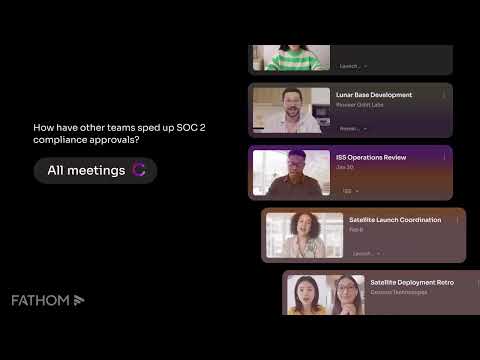
AI that Works Across All Your Meetings | Fathom AI
Search, gather insights, and action across all your meetings. Fathom is the #1-rated AI notetaker trusted by hundreds of thousands of companies worldwide. With forever free options, it's the most flexible AI notetaker ever, giving you the freedom to use it however and wherever you need.
How to Use Fathom AI in Microsoft Teams
2:19
Tutorial2:19
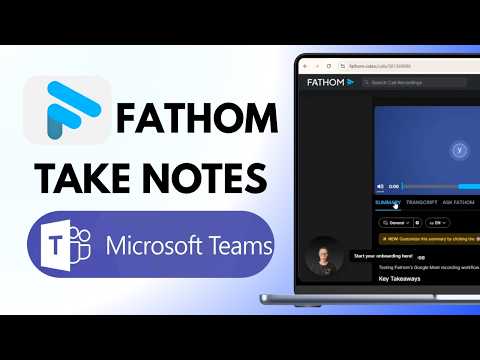
How to Use Fathom AI in Microsoft Teams
Get Fathom recording and summarizing your Microsoft Teams meetings automatically. This tutorial shows you the exact setup: connect your Microsoft account, find scheduled Teams meetings in the Fathom drawer, admit Fathom to the lobby, and walk away with a full AI summary and action items in under 30 seconds—no notes required. Fathom is free for unlimited recording, transcription, and summarization. Works on Windows and Mac with no separate extension or connection step needed inside Teams. Perfect for sales teams, customer success, and anyone who wants to stay present in meetings instead of typing notes. Saves 38 minutes per meeting on average. KEY MOMENTS 0:00 Teams calendar sync 0:24 Find scheduled meetings 0:54 Join meeting flow 1:10 Admit Fathom to lobby 1:37 Dashboard summary 2:03 Complete checklist #FathomAI #MicrosoftTeams #MeetingNotes #AIProductivity
How to Use Fathom AI Note Taker (Complete Setup)
6:13
Tutorial6:13
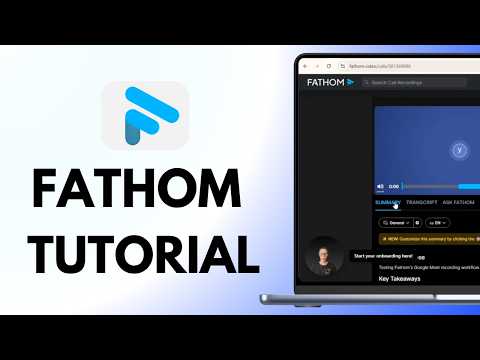
How to Use Fathom AI Note Taker (Complete Setup)
Fathom is a free AI note taker that records, transcribes, and summarizes your Zoom, Google Meet, and Teams meetings instantly. Stop wasting time on manual notes. This Fathom AI note taker tutorial walks you through setup, auto-recording, highlights, and AI summaries in real time. You'll learn account creation, calendar connection, desktop app setup, auto-record settings, platform integration, the highlight feature, instant AI summaries, and automatic action item extraction. Works on Zoom, Google Meet, and Microsoft Teams. Free plan includes unlimited recordings and five AI summaries monthly. 0:00 - Sign Up & Calendar 0:50 - Download Desktop App 1:45 - Settings & Auto-Record 2:28 - Connect Video Platforms 2:59 - Live Meeting Recording 3:33 - Highlight Key Moments 4:06 - AI Summary Instantly 4:22 - Action Items & Search Is Fathom AI note taker free? Yes. Unlimited recordings and five AI summaries per month free. Premium is $19/month for unlimited summaries and Ask Fathom access. Does Fathom work on all platforms? Yes. Fathom works on Zoom, Google Meet, and Microsoft Teams. Desktop app enables auto-join and recording when you're not the host. #FathomAI #MeetingNotes #ProductivityTips #ZoomTutorial

Who uses it

Real use cases, no hype
Sales Performance Coaching
Use AI Scorecards and real-time coaching metrics to analyze call patterns and improve rep effectiveness.
Customer Success Retention
Surface risks and opportunities from key moments, automate CRM updates, and track trends across conversations.
Marketing Insight Mining
Harvest user feedback, sentiment trends, and campaign context from meeting recordings for content strategy.
Cross-Team Alignment
Create shared visibility with searchable transcripts and summaries to keep decisions and action items visible.
Post-Meeting Automation
Auto-generate follow-up emails, action items, and push notes to project tools (Asana, Notion) via integrations.
Interview & HR Process
Streamline candidate evaluation and onboarding with searchable interview transcripts and highlight playlists.
Product Feedback Synthesis
Track feature requests and user satisfaction across calls to prioritize what matters most to customers.
What's great
  • Bot-free capture option (beta) - no meeting intruders
  • Instant, shockingly accurate AI summaries and transcripts
  • Massive integration ecosystem (Slack, Salesforce, HubSpot, Zapier, ChatGPT, Claude)
  • Saves hours of follow-up work per week, proven time efficiency
Technical strengths
  • SOC 2 Type II, GDPR, HIPAA compliant for enterprise security
  • Public API, SDKs (TS/Python), webhooks, and OAuth for custom integrations
  • CRM field-level sync for automatic record updates (Business+)
Where it falls short
  • Free plan is severely limited - no AI action items or advanced summaries
  • Team features require 2-user minimum, not ideal for solopreneurs
  • Bot-free mode is still in beta and Mac-only initially
  • Advanced features like CRM sync locked behind expensive Business tier
Technical limitations
  • Lookback window for 'Ask Fathom' across team calls is tier-dependent
  • API usage has rate limits and data retention policies vary by plan
For technical folks

The deep-dive specs

FAQ

Includes technical Q&A
It offers a choice: you can use the traditional bot that joins as 'Fathom', or use the new bot-free capture (currently in beta for Mac) which records without a visible attendee.

Traffic Insights

Monthly Visits

725K

November 2026

Growth Rate

0%

vs last month

Dominance

0%

in Productivity

Top Country

Bangladesh

23% of traffic

Top Countries Breakdown

Bangladesh
23%
United States
18%
India
6%
Brazil
4%
United Kingdom
4%

Growth Trend

Stable

Traffic has remained stable.

Honest pricing

No sneaky tiers, no “contact sales”

Here's who each plan is actually for — and where the hidden charges might hit.

Free
Free

Individuals

  • Unlimited recordings + transcriptions
  • Choice of bot-free (in beta) or bot capture
  • Instant AI call summaries
  • Clips
  • playlists + search across calls
Premium
Most picked
$20/mo

Individuals

  • Everything from Free
  • Advanced call summaries
  • AI-generated action items
  • Conversational meeting assistant
  • Custom meeting bot
Team
$19/mo

Teams

  • Everything from Premium
  • Global search across calls
  • Playlists of highlights from meetings
  • Collaboration using comments
  • folders
  • keyword alerts
  • + more
Business
$34/mo

Teams

  • Everything from Team
  • CRM field sync
  • updating records after meetings automatically
  • Deal View summarizing insights
  • Coaching metrics & AI scorecards
  • Advanced call summaries
  • including custom summaries*
Enterprise
Talk to sales

Enterprise

  • Everything from Business
  • Launch Assist Onboarding Program
  • Organization-wide security controls
  • SSO & SCIM provisioning
  • Custom data retention programs
  • Dedicated Success Manager & priority Support SLAs
View Full Plans & Pricing on Fathom

Official pricing, checkout, and plan upgrades are handled directly on fathom.ai.

Reviews

What the internet actually thinks

Data refreshed weekly. No paid placements.

Trustpilot
Not reviewed yet
G2
G2
Not reviewed yet
C
Capterra
Not reviewed yet
Product Hunt
Not reviewed yet
COMMUNITY COMMENTS

Leave a Comment

Help others make informed decisions. Your honest feedback shapes the community's understanding of this tool.

Tips for commenting

  • •Be specific about features you used
  • •Share real use cases and results
  • •Mention both pros and cons
  • •Keep it honest and constructive
to leave a comment

Your comment is published immediately.

Filter:
Sort:

No comments yet

Be the first to share your experience with this tool.

Alternatives

Not quite the right fit?

Here's what else is out there.