EmailTriager

EmailTriager

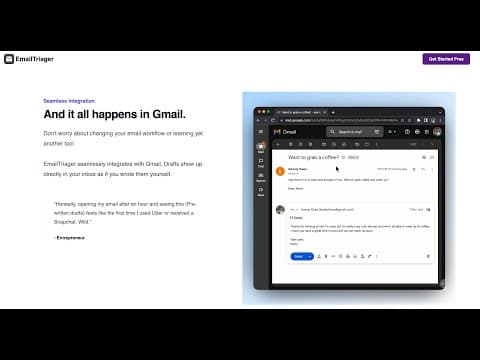
EmailTriager is an AI email assistant that plugs directly into Gmail. It trains once on your past emails to learn your "True Voice" — tone, sign-off, and phrasing — then automatically triages incoming messages and drafts ready-to-send replies behind the scenes. Drafts land in Gmail in about a minute; you just review, tweak, and hit send. No Chrome extension, no prompt writing. Paid tiers add context-aware chat, PDF/CSV uploads, follow-up and scheduling autopilots, a deeper True Voice model trained on two years of email, and team collaboration. It's CASA Tier 2 accredited, never sends mail on your behalf, and stores trained knowledge in a private, deletable Knowledge Base. Built for founders, support teams, and anyone drowning in an inbox.

Productivity
Visit website
Added on
Nov 4, 2026
Gmail nativeAuto-drafted repliesEmail triageTrue VoiceFollow-up AutopilotScheduling AutopilotPDF/CSV uploadNo Chrome extension
Product information

Everything worth knowing about EmailTriager

The complete picture — from everyday features to the technical detail builders and IT folks dig for.

Core features

What it actually does

Automatic Inbox Triage
Sorts and organizes incoming mail in the background so you only deal with what actually needs a response — no manual filters or labels to build.
True Voice Drafts
Trains on your past emails to write replies that sound like you — your tone, your help docs, your sign-off — then drops them in as ready-to-send drafts.
Drafts Land Directly in Gmail
No Chrome extension, no second inbox, no new workflow. Drafts show up inside Gmail roughly a minute after a new email arrives.
Follow-up & Scheduling Autopilot
Chases unanswered threads and handles meeting back-and-forth without you touching it (Follow-up on Essentials, Scheduling on Pro and above).
Context-Aware Chat + Document Upload
Ask questions against your own mailbox and feed in PDFs or CSVs so the assistant has the reference material it needs to draft correctly.
Technical capabilities
Per-User Private Model & Knowledge Base
Reads your past emails once to build a personal Knowledge Base that powers drafting. Training emails are not stored, and you can view or delete the Knowledge Base at any time.
CASA Tier 2 Verified
Audited by a Google-designated third-party security assessor. Your emails are never used to train general AI models — only your private model sees them.
Must watch videos
Email AI Assistent by Pattern Automation Agency 2024
8:22
Tutorial8:22
Email AI Assistent by Pattern Automation Agency 2024
GET THE EMAIL AI HERE FOR FREE ⤵️ https://www.emailtriager.com WANT A SYSTEM BUILT FOR YOU? ⤵️ https://v5pu1wwjs2x.typeform.com/to/hSgwrJIX SUMMARY ⤵️ Ever had to pay for Email AI? No more. Our Email AI automatically learns how you email and pre-drafts ready to send replies for you in the background. Save 5+ hours a week on email. WHAT TO WATCH NEXT 🍿 https://www.loom.com/share/b89993dd388941e5bdd8bc708c6f287b?sid=a25493de-fe13-41b5-8522-5efd9a63a649 MY TOOLS, SOFTWARE DEALS & GEAR (some of these links give me kickbacks—thank you!) 🤖 BROWSE AI: https://browse.ai/?via=daniil 📧 APOLLO : https://get.apollo.io/39hsnxjsx86p ⚙️ APIFY: https://www.apify.com?fpr=8ep50 🔖 PANDADOC: https://pandadoc.partnerlinks.io/aeg56iuj6na0 👻 ZOOMINFO: https://try.zoominfo.com/503fo8b93wrx 💰 HARVEST: http://try.hrv.st/5-007816 🖥️ NOTION: https://affiliate.notion.so/9fogyeguf2qk 🟩 WISE: https://wise.com/invite/ihpc/daniilb369 ⚡️ RIZE: https://rize.io?via=daniil FOLLOW ME 🦾 My automation agency: https://patternautomation.ru/en/ 📸 My Instagram: /@danieldeames WHY ME? If this is your first watch—hi, I'm Daniel TLDR: I am an experienced AI consultant and e-commerce entrepreneur with over 500k followers on Instagram and over 250k sales and now am building automated businesses with my software company. Today a lot of people talk about automation, but I’ve noticed that very few have practical, real world success making money with it. So this channel is me chiming in and showing you what real systems that make real revenue look like! Hopefully I can help you improve your business, and in doing so, the rest of your life :-) Please like, subscribe, and leave me a comment if you have a specific request! Thanks.
AI Email Drafts Assistant
1:25
Tutorial1:25
AI Email Drafts Assistant
Hey there, inbox warriors! 👋 Feeling swamped by emails? Trust me, I get it. As an executive assistant at Athena, I've seen countless inboxes that look like digital warzones. But guess what? I've discovered a secret weapon that's about to change the email game forever. Meet EmailTriager - your new AI bestie for all things email!
The AI Email Assistant That Writes, Researches & Schedules for You
0:52
Tutorial0:52
The AI Email Assistant That Writes, Researches & Schedules for You
Website Link Below: https://try.lindy.ai/0892rgtzsbif Say goodbye to email overload and hello to Lindy, the world’s smartest AI email assistant. Triaging your inbox, drafting responses in your unique voice, and researching senders has never been easier. Automate email triage, pre-written drafts, and sender research while keeping your schedule updated with AI-powered meeting scheduling. Lindy helps you respond faster, save time, and stay organized, all while learning your style to make emails seamless and effortless. Perfect for sales teams, business professionals, and anyone who wants to reclaim their inbox. Start automating your email workflow today. #AIEmailAssistant #InboxAutomation #EmailProductivity #VirtualAssistantAI #LindyAI #AutomatedEmails #EmailWorkflow #AIAssistantForBusiness #EmailManagement #SmartEmailAutomation #SaveTimeWithAI #BusinessAutomation #MeetingSchedulerAI #EmailDraftAI #AIForWork #WorkSmarterNotHarder #AIWorkflow #AIEmailTools #ProductivityAI #EmailAutomationSoftware

Who uses it

Real use cases, no hype
Inbox Triage
Auto-sorts and prioritizes incoming mail so only what matters surfaces.
Reply Drafting
Pre-written replies wait in Gmail, ready to tweak and send.
Follow-up Autopilot
Chases unanswered threads and nudges stalled conversations automatically.
Scheduling Autopilot
Handles meeting back-and-forth without a single manual email.
Knowledge Base Training
Upload PDFs, CSVs, or websites so drafts cite real company docs.
Context-Aware Chat
Ask questions against your inbox and uploaded documents.
Team Inbox Sharing
Multiple accounts and teammates under one workspace.
What's great
  • Drafts land directly in Gmail — zero workflow change
  • True Voice genuinely mimics your writing style and sign-off
  • Never sends on your behalf — you always review
  • No Chrome extension or browser plugin required
Technical strengths
  • Only counts drafts you send with <20% edits — wasted drafts are free
  • One-time email read builds a Knowledge Base — raw mail isn't stored after training
  • Follow-up and scheduling autopilot baked into higher tiers
Where it falls short
  • Gmail only — Outlook and other providers ignored
  • $20–$80/mo gets expensive fast for a drafting tool
  • 100 accepted drafts on entry tier runs out quickly
  • Rebranding to Serif.ai — product roadmap churn risk
Technical limitations
  • No published model architecture or benchmarks — you trust the marketing
  • Bulk read of historical inbox for training is a non-starter for regulated orgs
  • No self-hosted or on-prem option; fully closed SaaS
For technical folks

The deep-dive specs

Security Certification
CASA Tier 2 accredited, verified by a Google-designated third-party security auditor
Training Data Handling
Past emails are read once to build a Knowledge Base; no emails read during training are saved or stored
Data Isolation
Private AI model per user; emails never used to train general AI models
Knowledge Base Control
User can view and delete the generated Knowledge Base at any time
Delivery Method
Native Gmail integration — drafts appear in Gmail, no Chrome extension required
Company
Rebranding to Serif.ai; operated by Serif Inc.

FAQ

Includes technical Q&A
A draft EmailTriager created that you send with less than 20% of the words changed. Heavily edited or deleted drafts don't burn your monthly quota.

Traffic Insights

Monthly Visits

—

November 2026

Growth Rate

0%

vs last month

Dominance

0%

in Productivity

Top Country

—

Top Countries Breakdown

—

Growth Trend

Stable

Traffic has remained stable.

Honest pricing

No sneaky tiers, no “contact sales”

Here's who each plan is actually for — and where the hidden charges might hit.

Essentials
Most picked
$20/mo

Individuals who spend 1+ hour a day in email

  • ['Triage up to 4
  • 000 emails/mo'
  • '100 Accepted Drafts/mo'
  • 'Everything in Lite'
  • 'Context-Aware Chat'
  • 'Upload PDFs and CSVs'
  • 'Follow-up Autopilot'
Pro
$50/mo

Entrepreneurs and professionals who live in their inbox

  • ['Triage up to 7
  • 500 emails/mo'
  • '300 Accepted Drafts/mo'
  • 'Everything in Essentials'
  • 'Advanced True Voice model trained on 2yrs of emails'
  • 'Scheduling Autopilot'
  • 'Train on public websites'
Pro Unlimited
$80/mo

Businesses and orgs flooded with email

  • ['Triage Unlimited emails'
  • 'Unlimited Accepted Drafts'
  • 'Everything in Pro'
  • 'Dedicated Support'
  • 'Early access to new features']
View Full Plans & Pricing on EmailTriager

Official pricing, checkout, and plan upgrades are handled directly on emailtriager.com.

Reviews

What the internet actually thinks

Data refreshed weekly. No paid placements.

Trustpilot
Not reviewed yet
G2
G2
Not reviewed yet
C
Capterra
Not reviewed yet
Product Hunt
Not reviewed yet
COMMUNITY COMMENTS

Leave a Comment

Help others make informed decisions. Your honest feedback shapes the community's understanding of this tool.

Tips for commenting

  • •Be specific about features you used
  • •Share real use cases and results
  • •Mention both pros and cons
  • •Keep it honest and constructive
to leave a comment

Your comment is published immediately.

Filter:
Sort:

No comments yet

Be the first to share your experience with this tool.

Alternatives

Not quite the right fit?

Here's what else is out there.