EKHOS AI

EKHOS AI

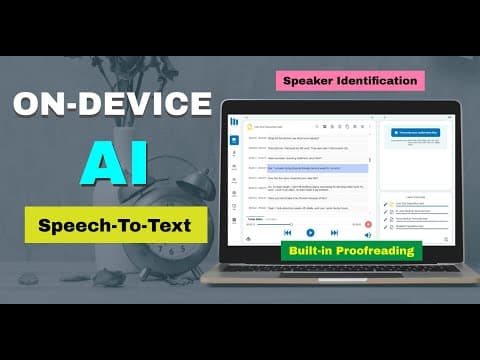
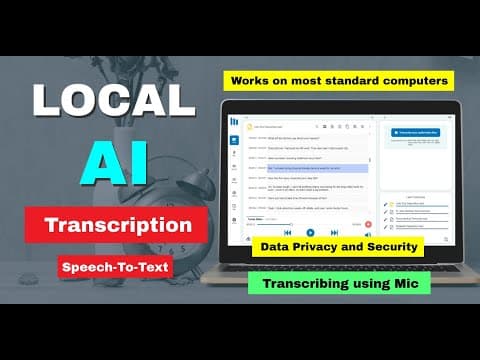
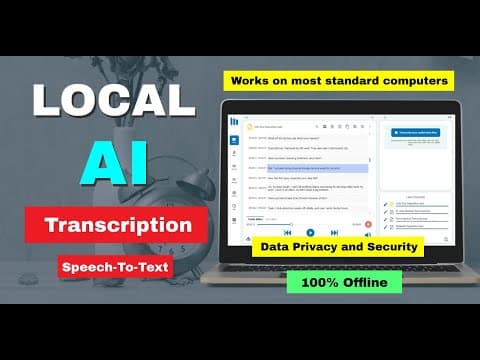
EKHOS AI is a Windows desktop app that transcribes audio and video entirely on your own machine. Local ASR models run on your CPU or an NVIDIA GPU (RTX recommended), with Intermediate, Advanced and Expert accuracy tiers plus an Optimized mode that roughly doubles speed. It handles most formats (MP3, MP4, WAV, MKV, AVI, MPEG), live microphone and system-speaker capture, bulk queue transcription, and speaker diarization with auto-labeling in 98 languages. After sign-in it works fully offline. Files and transcripts never leave the device, are encrypted in a local database, and are never used for model training. No telemetry, no usage analytics. Proofreading is the real workflow win: a built-in media player syncs with a Tracks Editor that highlights the active segment so you can fix text against playback, with in-transcript search and Word/PDF/Text export. Built for people who can't legally or ethically ship recordings to a cloud vendor: legal and medical transcribers, therapists, journa

Productivity
Visit website
Added on
Nov 4, 2026
Offline transcription98 languagesSpeaker IDWindows 10+NVIDIA GPU accelLocal encryptionWord/PDF exportBulk queue
Product information

Everything worth knowing about EKHOS AI

The complete picture — from everyday features to the technical detail builders and IT folks dig for.

Core features

What it actually does

Unlimited transcription (Premium)
No caps on file size, quantity, or recording duration on Premium — transcribe entire hearings, lectures, or podcast archives in one sitting. The Free plan is throttled to 30 minutes per day, which is the real story if you plan on doing actual work with it.
Speaker identification & labeling
Auto-tags each line as SPEAKER 1, SPEAKER 2, etc., and you can rename them to real names after the fact. Handy for interviews and depositions; expect to mop up a few mislabeled turns on crosstalk-heavy audio.
Synced proofreading editor
A built-in media player and Tracks Editor highlight transcript segments in sync with playback, so you can fix text while hearing the audio. Includes in-transcript search and a plain text editor fallback.
Export & share
Export to Word, PDF, and plain Text, or copy straight to the clipboard. Manage, rename, update, and delete transcripts from a single library view.
Technical capabilities
Fully offline local AI
All processing happens on your machine — no cloud, no telemetry, no usage analytics, no external transmission of audio or transcripts. Files and transcripts are encrypted in a local database and never used for model training. Sign-up collects only name and email.
Selectable model tiers and modes
Three local model tiers — Intermediate, Advanced, Expert — trading speed for accuracy (Expert is slower but more accurate). Transcription modes: Optimized (claimed 2× faster than Standard), Standard, and Speaker Identification.
CPU/GPU execution with batch queue
Runs on CPU out of the box; NVIDIA GPUs (RTX recommended) accelerate transcription noticeably. Built-in queue handles bulk file batches, and 98 languages are supported across most audio/video containers (MP3, MP4, WAV, MKV, AVI, MPEG).
Must watch videos
On-Device AI Speech-to-Text Software | Offline, Fast & Private Transcription
1:25
Tutorial1:25
On-Device AI Speech-to-Text Software | Offline, Fast & Private Transcription
Tired of slow cloud transcription tools that cost too much and put your data at risk? With EKHOS AI, you get offline speech-to-text software powered by on-device AI — built for speed, accuracy, and complete privacy. With EKHOS AI, your transcripts are not only fast but smarter: Unlimited Transcriptions — Transcribe as many files as you want, any size, any duration. Supports 98 Languages — Great if you work with multilingual audio/video. Most File Types Supported — MP3, WAV, MP4, MKV, AVI, MPEG, etc. Real-Time Mic Recording & Transcription — Speak directly and see the text live. Built-in Media Player + Transcript Editor — With synced playback, “Tracks Editor,” and proofreading tools so you can clean up transcripts easily. Choose Processing Tier — Intermediate, Advanced, or Expert models depending on your hardware & accuracy needs. GPU support if you have a suitable machine. Strong Privacy & Security — All processing & storage is local; encrypted transcripts; minimal personal info; app is digitally signed. Bulk & Queue Transcriptions — Great for managing lots of files without having to do one by one. Export Options — Word, PDF, Text, or copy to clipboard. Speaker Identification automatically separates voices so you know who’s talking. Optimized Mode improves alignment and processing speed, making transcripts more accurate in less time. Works offline on any standard Windows laptop — your data never leaves your device. ✅ In This Video You’ll Learn: How EKHOS AI transcribes audio & video offline using on-device AI Real-time demo of Speaker Identification in action How Optimized Mode makes transcripts faster and better aligned Supported formats: MP3, WAV, MP4, MKV, AVI, and more Installation & setup — start transcribing in minutes 👩‍💼 Perfect For: Court reporters & legal transcriptionists Journalists & media teams Podcasters & video creators Academics & researchers Freelancers handling sensitive interviews Corporate & government professionals needing secure transcription 🔒 Why Choose EKHOS AI? 100% offline — private & secure On-device AI for faster processing Speaker ID saves hours of manual work Optimized Mode for speed & accuracy Unlimited transcriptions with no file size limits Supports 98+ languages & nearly every file format Export transcripts to Word, PDF, Text, or clipboard 📥 Download EKHOS AI or Learn More: 👉 https://www.ekhos.ai 👍 Like this video if you want smarter transcription 🔔 Subscribe for more AI tools & productivity tips 💬 Questions? Drop them in the comments!
Transcribe Microphone Instantly on Any Computer — No Internet Needed!
4:11
Tutorial4:11
Transcribe Microphone Instantly on Any Computer — No Internet Needed!
📝 Description (Includes EKHOS AI branding): 🎙️ Transcribe Your Voice in Real Time Using Just Your Laptop Microphone In this video, we show you how to convert live speech into accurate text using nothing more than your built-in or USB microphone and EKHOS AI — the powerful offline transcription software designed for professionals. Whether you’re dictating notes, capturing interviews, recording HR or legal documentation, or running fieldwork, EKHOS AI works 100% offline to keep your recordings private and secure. ✅ What You’ll Learn: How to record and transcribe voice instantly using your mic Real-time demo on a regular laptop Compatible mic setups (built-in, USB, headset) Why EKHOS AI is perfect for offline use cases How professionals use mic mode in their daily workflows 👨‍⚕️👩‍⚖️ Who Is EKHOS AI For? Medical professionals & clinicians Human resources & internal compliance Legal & court transcription Field researchers & journalists Independent consultants & podcasters 🔐 Why Choose EKHOS AI? No internet required – keep your data safe Choose between free or affordable premium subscription Designed for accuracy, speed & privacy Runs on any standard Windows laptop 🔗 Get EKHOS AI or learn more: 👉 https://www.ekhos.ai 👍 Like this video 🔔 Subscribe for more AI tools & productivity tips 💬 Ask us questions in the comments — we're here to help!
Transcribe Audio Instantly on Any Laptop – No Internet Needed!
4:01
Tutorial4:01
Transcribe Audio Instantly on Any Laptop – No Internet Needed!
🎧 Convert Voice to Text in Minutes — Offline, Accurate, and 100% Yours with EKHOS AI Say goodbye to expensive subscriptions and risky cloud-based transcription tools. In this video, we introduce EKHOS AI — a powerful, offline transcription software that runs fast on any standard Windows laptop. Whether you're handling sensitive court recordings, interviews, podcasts, or academic lectures, EKHOS AI gives you full control over your data — with no internet required. ✅ What You’ll Learn: How to transcribe audio files instantly using EKHOS AI Real-time demonstration on a regular laptop What formats are supported (MP3, WAV, MP4, etc.) How to install and start transcribing in minutes Why professionals are switching to EKHOS AI 👩‍💼 Who Is EKHOS AI For? EKHOS AI is trusted by professionals in: Court reporting and legal transcription Journalism and investigative media Academic research and fieldwork Podcasting and video production Freelance interviewing Corporate and government documentation If you record voices and need fast, private, and local transcription, EKHOS AI is for you. 🔒 Why EKHOS AI? 100% offline – your data stays with you Choose between free or affordable premium subscription Works on standard laptops – no special hardware needed One-time setup and ready to go Built for speed, privacy, and professional accuracy 🔗 Download EKHOS AI or learn more: 👉 https://www.ekhos.ai 👍 Like this video 🔔 Subscribe for more AI tools & productivity tips 💬 Got questions? Drop them in the comments!

Who uses it

Real use cases, no hype
Legal Depositions
Transcribe privileged client interviews and hearings without any third-party server touching the audio.
Medical Dictation
Convert patient notes and consultations into text while staying inside local-device compliance boundaries.
Journalism Interviews
Handle sensitive source recordings offline, with speaker labels you can rename after the fact.
Podcast Production
Bulk-queue episodes for transcription, then export to Word or PDF for show notes and captions.
Academic Research
Process hours of field recordings and focus groups with no per-minute bill and no data retention risk.
Law Enforcement Records
Transcribe bodycam and interview audio on an air-gapped workstation with encrypted local storage.
Meeting & Webinar Capture
Record system audio from Zoom, Teams, or webinars and get a searchable transcript without cloud upload.
What's great
  • 100% offline — audio never leaves your machine
  • Truly unlimited transcriptions on Premium — no size or duration caps
  • 98 languages, strong European and Asian coverage
  • Flat $9–12/mo beats per-minute cloud pricing
Technical strengths
  • NVIDIA GPU acceleration slashes transcription time
  • Encrypted local database with masking and read-only transcript protection
  • Tracks Editor syncs text to playback for fast proofreading
Where it falls short
  • Windows 10+ only — no Mac, Linux, or mobile
  • Account sign-in and email verification required before offline mode unlocks
  • Free plan capped at 30 minutes per day
  • No cloud sync or collaboration — single user per machine
Technical limitations
  • Speed hinges on hardware; CPU-only runs are slow
  • No public API or automation hooks for pipeline integration
  • Three model tiers with zero published accuracy benchmarks
For technical folks

The deep-dive specs

Platform
Windows 10 and later (macOS in development; no mobile or Linux)
Processing
On-device local inference — CPU by default, optional NVIDIA GPU (RTX recommended)
AI model tiers
Intermediate, Advanced, Expert
Transcription modes
Optimized (2× faster than Standard), Standard, Speaker Identification
Languages
98
Input formats
MP3, MP4, WAV, MKV, AVI, MPEG and most other audio/video formats; live microphone and system speaker audio
Data storage
Transcripts encrypted in a local database; no telemetry or external transmission
Distribution
Microsoft Store, digitally signed with Microsoft Azure Trusted Signing
Auth
SSL-encrypted login with tokenized URLs, session persisting up to 30 days, plus local password and recovery phrase

FAQ

Includes technical Q&A
Yes. After a one-time sign-in, transcription runs fully on your machine with no internet connection. Nothing is uploaded.

Traffic Insights

Monthly Visits

—

November 2026

Growth Rate

0%

vs last month

Dominance

0%

in Productivity

Top Country

—

Top Countries Breakdown

—

Growth Trend

Stable

Traffic has remained stable.

Honest pricing

No sneaky tiers, no “contact sales”

Here's who each plan is actually for — and where the hidden charges might hit.

Free Plan
Free

Individuals testing the waters

  • false
Premium Plan
Most picked
$12/mo

Individuals

  • false
View Full Plans & Pricing on EKHOS AI

Official pricing, checkout, and plan upgrades are handled directly on ekhos.ai.

Reviews

What the internet actually thinks

Data refreshed weekly. No paid placements.

Trustpilot
Not reviewed yet
G2
G2
Not reviewed yet
C
Capterra
Not reviewed yet
Product Hunt
Not reviewed yet
COMMUNITY COMMENTS

Leave a Comment

Help others make informed decisions. Your honest feedback shapes the community's understanding of this tool.

Tips for commenting

  • •Be specific about features you used
  • •Share real use cases and results
  • •Mention both pros and cons
  • •Keep it honest and constructive
to leave a comment

Your comment is published immediately.

Filter:
Sort:

No comments yet

Be the first to share your experience with this tool.

Alternatives

Not quite the right fit?

Here's what else is out there.