Eduaide

Eduaide

Eduaide is an AI-powered platform for K-12 educators that creates high-quality instructional materials. It generates lesson plans, worksheets, graphic organizers, classroom games, and assessments directly from topics, objectives, or source documents. The tool integrates with over 50 state and national standards (e.g., Common Core, NGSS) and allows teachers to ground materials in their existing curriculum. The platform features guided workflows, eliminating the need for complex prompting. Educators can generate and then refine resources using built-in evaluators for grade-level appropriateness and cognitive demand. It also supports differentiation, translation, and export to Google Docs, DOCX, and other formats.

Productivity
Visit website
Added on
Sep 21, 2026
Monthly Visits
98K
AI Teacher ToolkitLesson PlanningAssessment BuilderStandards AlignmentDocument RevisionImage Generation
Product information

Everything worth knowing about Eduaide

The complete picture — from everyday features to the technical detail builders and IT folks dig for.

Core features

What it actually does

Lesson Planning & Material Creation
Generate lesson plans, worksheets, graphic organizers, and instructional games from topics, objectives, or uploaded resources using guided workflows.
Assessment Builder
Create standards-aligned assessments with 9 question types (Multiple Choice, True/False, Short Answer, etc.), difficulty controls, and adjustable point values.
Adaptation & Differentiation
Adjust reading levels, chunk text, generate rubrics, answer keys, and scaffold materials to meet diverse learner needs.
Source Integration
Incorporate documents, websites, and YouTube videos as source material to ground generated content in your existing curriculum.
Standards Alignment
Browse, select, and apply standards from 50+ jurisdictions (e.g., Common Core, TEKS, NGSS) to keep materials aligned.
Export & Revision Tools
Review generated content with evaluators for grade appropriateness, revise using 'Erasmus Document Chat', and export to Google Docs, PDF, DOCX, or plain text.
Technical capabilities
Reasoning Model & Rich Context
Utilize a reasoning model for complex resources and add extended context with 3x longer prompts, 5 standards, and 3 uploaded documents.
Must watch videos
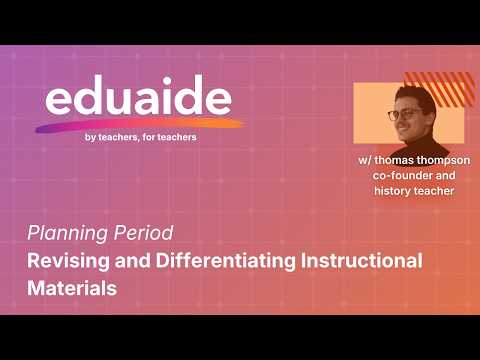
Planning Period: Revising and Differentiating Instructional Materials
14:30
Tutorial14:30
Planning Period: Revising and Differentiating Instructional Materials
Great teaching materials are rarely finished on the first draft. Eduaide gives you a more connected workspace for turning initial resources into classroom-ready materials.
Module 7: The Eduaide Workspace
4:33
Tutorial4:33
Module 7: The Eduaide Workspace
Understand the philosophy behind Eduaide's document-centric workspace—where AI actions happen inside the document, not in a separate chat interface. Summary The Eduaide workspace is designed around one core principle: the document is the unit of work. It's not a chat interface or prompt playground—it's a place for working on instructional documents. Everything you create looks like something you'd give to students, reference while teaching, or use to plan instruction. AI actions happen inside the document: when you add check-for-understanding questions, they appear in the document where students will see them. When you insert images, they become part of the material. The evaluator analyzes your document and suggests scaffolds that can be applied with a single click. Eduaide doesn't produce a final answer—it's a workspace designed by teachers for teachers, supporting instructional planning more efficiently than a standard document editor. The final output is the document you export and use, shaped by your instructional intent.
Module 6: Exporting, Saving, and Managing Your Documents
3:01
Tutorial3:01
Module 6: Exporting, Saving, and Managing Your Documents
Learn to export documents in multiple formats, save your work, organize with classes, and navigate your generation history. Summary Once you've finished working on a document, Eduaide offers multiple ways to export and manage your work. Copy to clipboard to paste formatted content anywhere—LMS, slideshows, or other applications. Download as PDF, Word document, or Google Doc. Changes are tracked with a red dot indicator, and you can save manually or respond to prompts when closing. Your saved documents go to History, accessible through a quick 10-item preview or the full History tab. History shows resource type (color-coded), grade level, and class assignment. Think of classes as folders—organize work by period, subject, or student groups. Your Erasmus chat history is also preserved, with conversations organized by time period.

Who uses it

Real use cases, no hype
Weekly Lesson Planning
Generate complete lesson plans, worksheets, and exit tickets from a topic or objective in minutes.
Assessment Creation
Build standards-aligned quizzes and tests with 9 question types and difficulty controls.
Differentiation & Adaptation
Quickly adjust reading levels, add scaffolds, or translate materials for diverse learners.
Curriculum Material Expansion
Create supplementary graphic organizers, games, and discussion prompts for existing units.
Teacher Professional Development
Use to model effective instructional design and learn new pedagogical strategies.
School/District Workflow Standardization
Deploy consistent, quality-checked instructional materials across teams.
Parent/Staff Communication Drafts
Generate professional emails, announcements, and recommendation letters.
What's great
  • Saves massive prep time with guided, standards-aligned content generation.
  • Huge variety of output types (lessons, games, organizers, assessments).
  • Integrates with Google Docs, Forms, and MS Word for seamless workflow.
Technical strengths
  • Built-in alignment to 50+ state and national curriculum standards.
  • Includes pedagogical scaffolds (e.g., taxonomy, text complexity) in generation.
  • Pro plan offers advanced context (5 standards, 3 docs) and reasoning model.
Where it falls short
  • Free tier has strict generation limits, frustrating for heavy use.
  • Core value is locked behind the $5.99/month Pro subscription.
  • Output quality can vary; requires teacher review and editing.
Technical limitations
  • No offline mode; entirely cloud-dependent for all functions.
  • Student-facing features are absent; teacher-only tool.
  • Custom domain expertise (e.g., rare electives) may need manual input.
For technical folks

The deep-dive specs

FAQ

Includes technical Q&A
No. Eduaide uses guided workflows, not open-ended prompts. You enter a topic or objective, and the tool handles the generation structure, making it accessible for beginners.

Traffic Insights

Monthly Visits

98K

November 2026

Growth Rate

0%

vs last month

Dominance

0%

in Productivity

Top Country

Bangladesh

30% of traffic

Top Countries Breakdown

Bangladesh
30%
United States
25%
Canada
5%
Egypt
4%
Japan
4%

Growth Trend

Stable

Traffic has remained stable.

Honest pricing

No sneaky tiers, no “contact sales”

Here's who each plan is actually for — and where the hidden charges might hit.

Pro
Most picked
$5.99/mo

Teachers

  • Unlimited AI Generations (No Monthly Generation Limit). Erasmus Document Chat for Revisions. Add Questions
  • Rubrics
  • Reading Supports
  • Study Tools
  • and Translations. Turn Evaluation Feedback Into Revised Resources. Generate Custom Classroom Images. Use YouTube Transcripts as Source Material. Use the Reasoning Model for More Complex Resources. Add More Context: 3x Longer Topic Prompts
  • 5 Standards
  • and 3 Uploaded Documents.
View Full Plans & Pricing on Eduaide

Official pricing, checkout, and plan upgrades are handled directly on eduaide.ai.

Reviews

What the internet actually thinks

Data refreshed weekly. No paid placements.

Trustpilot
Not reviewed yet
G2
G2
Not reviewed yet
C
Capterra
Not reviewed yet
Product Hunt
Not reviewed yet
COMMUNITY COMMENTS

Leave a Comment

Help others make informed decisions. Your honest feedback shapes the community's understanding of this tool.

Tips for commenting

  • •Be specific about features you used
  • •Share real use cases and results
  • •Mention both pros and cons
  • •Keep it honest and constructive
to leave a comment

Your comment is published immediately.

Filter:
Sort:

No comments yet

Be the first to share your experience with this tool.

Alternatives

Not quite the right fit?

Here's what else is out there.