CodeRabbit

CodeRabbit

CodeRabbit is an AI-powered code review and change management platform. It automatically reviews pull requests, provides security scans, and helps teams prioritize and understand code changes. Targeted at developers and engineering teams, it integrates with GitHub and GitLab to streamline workflows and improve code quality.

Coding
Visit website
Added on
Sep 17, 2026
Monthly Visits
1.3M
AI Code ReviewsPR TriageSecurity ScanningCode AnalysisAdaptive AI
Product information

Everything worth knowing about CodeRabbit

The complete picture — from everyday features to the technical detail builders and IT folks dig for.

Core features

What it actually does

Automatic PR Reviews
AI-driven code reviews with best-in-class context for every pull request.
PR Triage and Prioritization
Scores, ranks, and routes pull requests to focus on high-impact work.
Codebase Understanding
Provides detailed layers, files, blast radius, and architecture impact analysis.
Security Scanning
Real-time codebase health monitoring and dependency vulnerability detection.
Technical capabilities
Adaptive Learning
Automatically learns from team preferences and adapts review styles.
Must watch videos
CodeRabbit: The AI That Reviews Your Code for Free
6:29
Review6:29
CodeRabbit: The AI That Reviews Your Code for Free
🖥️ Try CodeRabbit CLI (Free) 👉 https://coderabbit.ai CodeRabbit is like Grammarly for your code — an AI code reviewer that runs directly inside your Terminal! It reads your code, flags errors, suggests fixes, and even integrates with AI coding agents like Claude, Cursor, and Gemini. In this video, I walk through exactly how to install and use CodeRabbit CLI — from setup to running your first review — even if you’re not a developer. 💡 Whether you’re a beginner, a creator experimenting with AI-written code, or a professional dev looking for a quick sanity check, CodeRabbit gives you confidence before you hit commit. 🖥️ Try CodeRabbit CLI (Free) 👉 https://coderabbit.ai Run code reviews locally — no cost, no cloud upload, no setup. Early access supports Mac and Linux, with Windows (via WSL) coming soon! 💬 What You’ll Learn How to install CodeRabbit CLI inside Ubuntu (Windows Subsystem for Linux) How to create and review your first project How CodeRabbit finds and explains bugs in your AI-generated code How to loop back fixes to Claude automatically Bonus: Every command explained (below) ⚙️ Command Reference: Everything Used in the Video wsl --install -d Ubuntu → Installs Ubuntu inside Windows (creates a Linux environment so you can run Linux commands). sudo apt update && sudo apt install unzip -y → Updates your package list and installs “unzip,” required by CodeRabbit’s installer. curl -fsSL https://cli.coderabbit.ai/install.sh | sh → Downloads and installs the latest CodeRabbit command-line tool. source ~/.bashrc → Reloads your shell so new commands (like coderabbit) are recognized. coderabbit --help → Lists all available CodeRabbit commands and options. mkdir coderabbit-demo && cd coderabbit-demo → Makes a folder called coderabbit-demo and moves into it (keeps your workspace organized). mkdir -p app/users → Builds a nested folder path for your project (so you can store page.tsx properly). nano app/users/page.tsx → Opens the Nano text editor so you can paste the code you got from Claude. Save and exit Nano: Press Ctrl + O, then Enter (to save) Press Ctrl + X (to exit) git init → Starts a new Git repository (required for CodeRabbit to track your files). git branch -M main → Renames the default branch to “main” for compatibility. git add . → Adds all current files to Git so they’re ready to commit. git commit -m "Initial demo file" → Saves your project’s first snapshot. coderabbit auth login → Links your terminal to your CodeRabbit (or GitHub) account so you can run reviews. coderabbit review --plain → Runs a full AI-driven review and prints feedback directly in your terminal git status → Shows what files are staged, modified, or ignored. echo "*.save" .gitignore echo "*.save.*" .gitignore → Prevents unwanted backup files from being included in future commits. git rm --cached app/users/page.tsx.save.1 → Untracks the unwanted backup file from version control. git add .gitignore git commit -m "Remove backup and update .gitignore" → Saves your changes so only your clean files are tracked. git add app/users/page.tsx git commit -m "Apply fixes from CodeRabbit review" → Commits your updates after you’ve pasted in Claude’s improved code. coderabbit review --plain -t uncommitted → Reviews your uncommitted local edits to instantly check if the issues are fixed. alias cr="coderabbit" → Creates a shortcut so you can just type cr review ⚡ Final Thoughts CodeRabbit is the safety net between “AI wrote it” and “we’re shipping it.” It keeps your workflow fast, clean, and secure — right from your Terminal. Try it yourself and let me know in the comments how it performs with your favorite AI coding tools.
CodeRabbit Review - (2026) I Tried AI For Automated Code Reviews - Overhyped or Dev Game-Changer?
6:30
Review6:30
CodeRabbit Review - (2026) I Tried AI For Automated Code Reviews - Overhyped or Dev Game-Changer?
🔥 (Discount Link) Try CodeRabbit Now: https://tinyurl.com/tCodeRabbit CodeRabbit Review explores how this AI-powered dev tool supports code reviews in an era of AI-generated code. As pull requests pile up and review cycles slow down, CodeRabbit brings structure to the review process without replacing developers. Discover how it fits into modern workflows, helps manage review overload, and adapts to the challenges of maintaining quality in faster software development cycles. ⏱️CHAPTERS: 0:00 Coderabbit Review 0:45 What Is Coderabbit? 1:26 How It Works 5:28 Is It Worth It? OTHER VIDEOS: https://www.youtube.com/watch?v=5HvY9k6GboM https://www.youtube.com/watch?v=esYGM6cW6y0 Note: Some links are affiliate links that help the channel at no cost to you. This video was sponsored by CodeRabbit. #ad #coderabbit #coderabbitai
Introducing CodeRabbit Plan: 10x Your AI Coding Agents
1:31
Tutorial1:31
Introducing CodeRabbit Plan: 10x Your AI Coding Agents
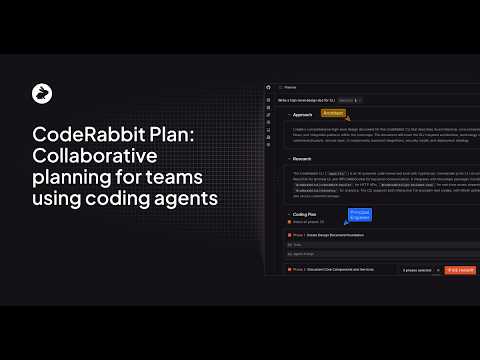
Introducing CodeRabbit Plan: 10x Your AI Coding Agents The problem isn't your AI agent; it’s the missing plan. Stop struggling with manual prompting and start shipping with precision. CodeRabbit Plan is the first intelligence layer designed to minimize rework and eliminate "AI slop" by providing your coding agents with the perfect technical context. By bridging the gap between a high-level ticket and production code, we help teams define scope, assumptions, and success criteria before the first line is even written. How it works: 1. Sync Your Workflow: Integrates directly with Linear, Jira, and GitHub. 2. Generate Technical Plans: CodeRabbit automatically creates a detailed "Agentic Plan" from your issues. 3. Collaborate & Refine: Coworkers can comment on the plan, and the agent iterates on versions in the background. 4. One-Click Handoff: Send the finalized prompt directly to VS Code, Cursor, or Windsurf. The Result: Accelerate your workflow and ensure your AI coding agents get it right the first time. Try it out at www.coderabbit.ai/issue-planner #CodeRabbit #IssuePlanner #AgenticPlan #AIIntelligenceLayer #StopAISlop #PromptEngineering #Coding #DevTools

Who uses it

Real use cases, no hype
Automated Code Review
Automatically review pull requests for bugs, style, and security issues.
PR Triage
Prioritize and score pull requests based on impact and risk.
Security Scanning
Scan code in real-time for security vulnerabilities and dependency risks.
Code Understanding
Generate summaries and explanations to understand code changes.
Continuous Learning
Adapt to team preferences and conventions over time.
Workflow Integration
Integrate with existing development tools and CI/CD pipelines.
Post-Merge Automation
Automate follow-up actions like changelog updates after code merge.
What's great
  • Automated PR reviews save time
  • Catches bugs and security issues early
  • Seamless integration with GitHub/GitLab
Technical strengths
  • Uses advanced NLP for context-aware suggestions
  • Provides detailed security vulnerability analysis
Where it falls short
  • Can generate false positives requiring review
  • May need configuration to match team coding style
  • Subscription costs may be prohibitive for small teams
Technical limitations
  • AI context limitations in highly complex codebases
  • Integration challenges with custom CI/CD setups
For technical folks

The deep-dive specs

AI Architecture
Multi-model ensemble with codegraph analysis
Integrations
GitHub, GitLab, Slack
Review Engine
Automated with adaptive learning from usage
Security Approach
AI-driven pattern and semantic analysis for vulnerabilities

FAQ

Includes technical Q&A
CodeRabbit is an AI-powered tool that automates code reviews and security scans for pull requests.

Traffic Insights

Monthly Visits

1.3M

October 2026

Growth Rate

0%

vs last month

Dominance

0%

in Coding

Top Country

India

12% of traffic

Top Countries Breakdown

India
12%
Germany
4%
Brazil
3%
Vietnam
3%

Growth Trend

Stable

Traffic has remained stable.

Honest pricing

No sneaky tiers, no “contact sales”

Here's who each plan is actually for — and where the hidden charges might hit.

Free
Free

Individuals

  • Basic code reviews
  • Limited repositories
  • Community support
Pro
Most picked
$14/mo

Small Teams

  • Unlimited code reviews
  • PR triage
  • Security scans
  • Priority support
Team
$24/mo

Growing Teams

  • All Pro features
  • Advanced triage
  • Custom guidelines
  • Team analytics
Enterprise
Custom

Enterprise

  • Custom pricing
  • Dedicated support
  • On-premises options
  • SLA guarantees
View Full Plans & Pricing on CodeRabbit

Official pricing, checkout, and plan upgrades are handled directly on coderabbit.com.

Reviews

What the internet actually thinks

Data refreshed weekly. No paid placements.

Trustpilot
Not reviewed yet
G2
G2
Not reviewed yet
C
Capterra
Not reviewed yet
Product Hunt
Not reviewed yet
COMMUNITY COMMENTS

Leave a Comment

Help others make informed decisions. Your honest feedback shapes the community's understanding of this tool.

Tips for commenting

  • •Be specific about features you used
  • •Share real use cases and results
  • •Mention both pros and cons
  • •Keep it honest and constructive
to leave a comment

Your comment is published immediately.

Filter by rating:
Sort by:

No comments yet

Be the first to share your experience with this tool.

Alternatives

Not quite the right fit?

Here's what else is out there.