Cline

Cline

Cline is an open-source AI coding agent that integrates directly into IDEs (VS Code, JetBrains, Cursor) and the terminal (CLI, SDK). It can read, write, and refactor multiple files, execute bash commands, run tests, and browse the web, all with human-in-the-loop approval via a Plan & Act workflow. It supports every major model provider (Anthropic, OpenAI, Google, local Ollama) and avoids vendor lock-in. Designed for developers and engineering teams, Cline handles everything from small code edits to complex, multi-file refactoring and CI/CD automation. It features an MCP Marketplace for extending capabilities with custom tools, project-specific rules (.clinerules), and multi-agent teams for parallel automation. Enterprise features include SSO, team management, and observability.

Coding
Visit website
Added on
Sep 21, 2026
VS Code ExtensionDesktop AppCLI & HeadlessMCP MarketplaceBYOKAgent TeamsApache 2.0
Product information

Everything worth knowing about Cline

The complete picture — from everyday features to the technical detail builders and IT folks dig for.

Core features

What it actually does

Multi-File Code Edits
Makes coordinated, linter-aware changes across multiple files with diffs, checkpoints, and one-click undo.
Plan & Act Mode
Toggle to align on a strategy first, then execute step-by-step with your approval or in autopilot mode.
Terminal Command Execution
Runs bash commands in your terminal, reacting to output in real-time for tests, deploys, and dev servers.
MCP & Plugin Extensibility
Connect to external tools and services (databases, APIs, infrastructure) via the Model Context Protocol and custom plugins.
Multi-Agent Teams & Scheduling
Coordinator agents delegate to specialists with their own tools and can run on cron for recurring automations.
Technical capabilities
IDE & CLI Runtime
Core agent runtime works as a VS Code/JetBrains extension, a native desktop app, or a headless CLI for scripts and CI.
Bring Your Own Key (BYOK)
Directly use API keys from Anthropic, OpenAI, Google, AWS Bedrock, Azure, GCP Vertex, Ollama, or any OpenAI-compatible endpoint.
Must watch videos
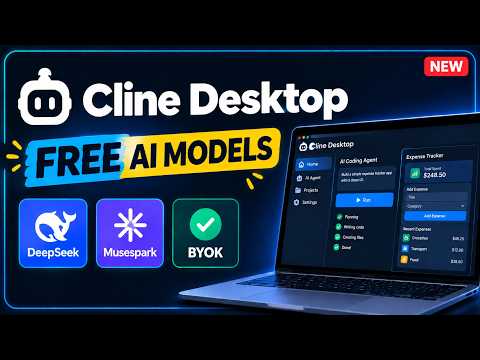
I Tested Cline Desktop: Build Apps with Free AI Models
9:48
Tutorial9:48
I Tested Cline Desktop: Build Apps with Free AI Models
Learn how to install Cline Desktop and build apps using free AI models! In this tutorial, I'll show you how to set up Cline Desktop, connect an AI model, and use an AI coding agent to build an application step by step. Cline Desktop lets you work with different AI models through ClinePass or connect your own API key using BYOK (Bring Your Own Key). In this video, you'll learn how to: Download and install Cline Desktop on Windows. Connect an AI model using ClinePass. Explore free models such as DeepSeek V4.1 Flash and Musespark 1.3. Use an AI coding agent to build an application. Connect other supported AI providers using your own API key. I'll also demonstrate how to build and test an expense tracker using a simple prompt. Official Cline Desktop: https://cline.bot/desktop Support Code With Yousaf: https://www.buymeacoffee.com/codewithyousaf CHAPTERS 00:00 – Cline Desktop Is Here 00:26 – What Is Cline Desktop? 01:05 – Download and Install Cline Desktop 02:54 – Connect a Free AI Model 05:12 – Build an Expense Tracker with AI 06:56 – Test the Application 09:18 – Final Thoughts Free model availability, usage limits, and provider pricing may change. Check the current terms before using any service. Using your own API key may involve separate charges. If you found this tutorial helpful, like the video and subscribe to Code With Yousaf for more AI coding tools, free models, and practical tutorials. What would you like to build with Cline Desktop? Let me know in the comments! #Cline #ClineDesktop #AICoding #FreeAI
Ideal Setup for Cline
3:47
Tutorial3:47
Ideal Setup for Cline
How to optimize Cline by using settings and MCP to improve your coding experience. Cline is an AI Code Editor that helps developers and coders leverage LLM to create projects. It has the ability to use popular MCPs like Sequential Thinking, Perplexity, and Context7 to get the cutting edge technology applied in your workspace. #AI #Cline #Coding
I Found 2 Ways to Use Cline for FREE (Best Free AI Coding Agent)
5:26
Tutorial5:26
I Found 2 Ways to Use Cline for FREE (Best Free AI Coding Agent)
Cline is hands-down one of the best free AI coding agents you can run inside VS Code right now — and the best part? You don't need to pay a single cent to use it. In this video, I'll show you exactly how to set up Cline for free, walk through all 4 starting options, and then break down the 2 legit free methods step by step, with a live coding demo for each one. ⚡ What you'll learn in this video: - How to install the Cline extension in VS Code - All 4 ways to start using Cline (Free, ClinePass, Frontier Model, Bring Your Own Key) - Method 1: Login with your Google/GitHub account and use free built-in models (DeepSeek V4 Flash, GLM-5.3 Flash, LongCat 2.0, Poolside Laguna S) — no API key needed - Method 2: Connect your own free API key (using Gemini) for higher limits and more control - Live demo #1: Building a BMI calculator app with Method 1 - Live demo #2: Building a to-do list app with Method 2 If you're a beginner developer, student, or just someone who wants to build real projects with AI without paying for a subscription, this video is for you. ⏱️ Timestamps: 0:00 – Intro 0:25 – Installing Cline in VS Code 0:48 – The 4 ways to start Cline 1:40 – Method 1: Login for free models (no API key) 2:40 – Live Demo: BMI Calculator app 3:30 – Method 2: Free Gemini API key setup 4:30 – Live Demo: To-Do List app Related Videos: https://youtu.be/KhrJY7ua6uI https://youtu.be/L_q7dojZpXM 💬 Have questions about setting up Cline or hitting rate limits on the free tier? Drop them in the comments — I read and reply to all of them. 🔔 Subscribe for more free AI coding tutorials, VS Code tips, and beginner-friendly dev content every week. #Cline #VSCode #AICoding #FreeAI #Gemini #DeepSeek #CodingTutorial #WebDevelopment #AIAgent #LearnToCode

Who uses it

Real use cases, no hype
Rapid Prototyping
Quickly build and iterate on new features or projects from natural language prompts.
Large Codebase Refactoring
Perform coordinated, multi-file changes across a complex codebase while maintaining consistency.
CI/CD Automation
Use the CLI to run automated checks, updates, and custom workflows in pipelines.
Codebase Understanding & Learning
Ask questions about code structure, dependencies, and get explanations for complex logic.
Automated Code Reviews
Analyze code for bugs, security issues, and suggest optimizations as a pre-commit or PR step.
Enterprise Team Collaboration
Deploy with centralized billing, team management, and governance for large organizations.
Multi-Agent Orchestration
Build and run teams of specialized agents that delegate tasks and run on schedules.
What's great
  • Truly open source (Apache 2.0) with no vendor lock-in
  • Massive model flexibility (Claude, GPT, Gemini, Ollama, local)
  • Full project context and multi-file editing capability
  • Human-in-the-loop approval for all actions
Technical strengths
  • Extensible via MCP servers and custom plugins (SDK)
  • Plan-and-Act mode for complex, step-by-step orchestration
  • Deep IDE integration with checkpoints and one-click undo
Where it falls short
  • Requires your own API keys for most powerful models
  • Usage-based costs can spike without careful budgeting
  • Desktop app is still in early beta (v0.0.32)
  • Learning curve for configuring rules, skills, and MCP
  • Not a full replacement for senior developer judgment
Technical limitations
  • Enterprise features (SSO, RBAC) are paid tier only
  • Rate limits can be frequent with free/cheaper model tiers
For technical folks

The deep-dive specs

FAQ

Includes technical Q&A
Yes, the core open-source extension is free. You only pay for AI model inference via usage-based billing or your own API keys.

Traffic Insights

Monthly Visits

—

October 2026

Growth Rate

0%

vs last month

Dominance

0%

in Coding

Top Country

—

Top Countries Breakdown

—

Growth Trend

Stable

Traffic has remained stable.

Honest pricing

No sneaky tiers, no “contact sales”

Here's who each plan is actually for — and where the hidden charges might hit.

Custom
Contact Sales

Enterprise

  • All Open Source Features + JetBrains Extension
  • SSO
  • SLA
  • Dedicated Support
  • Centralized Billing
  • Simple Config Mgmt
  • Role Based Access Control
View Full Plans & Pricing on Cline

Official pricing, checkout, and plan upgrades are handled directly on cline.bot.

Reviews

What the internet actually thinks

Data refreshed weekly. No paid placements.

Trustpilot
Not reviewed yet
G2
G2
Not reviewed yet
C
Capterra
Not reviewed yet
Product Hunt
Not reviewed yet
COMMUNITY COMMENTS

Leave a Comment

Help others make informed decisions. Your honest feedback shapes the community's understanding of this tool.

Tips for commenting

  • •Be specific about features you used
  • •Share real use cases and results
  • •Mention both pros and cons
  • •Keep it honest and constructive
to leave a comment

Your comment is published immediately.

Filter by rating:
Sort by:

No comments yet

Be the first to share your experience with this tool.

Alternatives

Not quite the right fit?

Here's what else is out there.