ChatPDF

ChatPDF

ChatPDF turns documents into a conversational source: upload a PDF, Word file, slide deck, markdown or text file (or a YouTube link/website) and ask questions in plain language. Answers come back with clickable citations that jump to the exact page, side-by-side with the document, so you can verify instead of trusting blind output. Multi-file folders let you compare papers or contracts inside one conversation, and it handles any input/output language pair. The stack is a retrieval layer over your file plus dynamic routing between GPT-4o and GPT-4o-mini for speed/cost balance, exposed through a stateless REST API (add-url, add-file, chats/message with referenceSources and streaming) for building custom PDF chatbots. Limits: 2,000 pages or 32 MB per file, 6 messages and ~2,500 tokens of context per API request. Built for students, academics and professionals grinding through papers, contracts and reports. Free tier covers 2 documents per day; Plus unlocks unlimited analysis. Extras inc

Search
Visit website
Added on
Nov 4, 2026
GPT-4o routingPDF chatCited sourcesMulti-file chatsSummarizerTranslationYouTube chatREST APINo signup
Product information

Everything worth knowing about ChatPDF

The complete picture — from everyday features to the technical detail builders and IT folks dig for.

Core features

What it actually does

Chat With Any File, Video, or Website
Drop in a PDF, Word doc, PowerPoint, Markdown or TXT file, a YouTube video, or a web link and just ask questions. No prompt engineering, no setup — upload and interrogate.
Cited Sources
Every answer is anchored to the source document with clickable citations that jump straight to the exact page. You can verify claims instead of trusting a black box.
Multi-File Chats & Folders
Organize documents into folders and pull multiple files into a single conversation. Compare papers, cross-reference contracts, or find connections across an entire reading list.
Summarize & Translate
Extract the key insights from dense academic papers or reports without reading everything, and translate documents from any language into the one you actually read.
Side-by-Side View
The chat and the PDF stay open next to each other, so you can read the answer and the source text at the same time without tab-hopping.
Technical capabilities
Dynamic Model Routing (GPT-4o / GPT-4o-mini)
Under the hood, queries are routed dynamically between GPT-4o and GPT-4o-mini to balance answer quality against latency and cost, rather than running one fixed model for everything.
Stateless REST API
A backend API for programmatic PDF interrogation: add sources via URL or multipart file upload, send message arrays to a stateless chat endpoint, enable inline page references, and stream responses word by word. Up to 6 messages per request within a 2,500-token budget.
Must watch videos
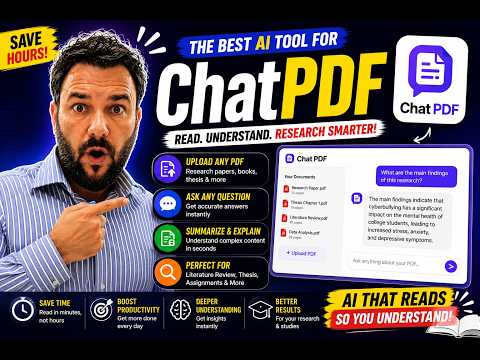
ChatPDF AI Tutorial for Researchers | Read Research Papers in Minutes with AIMastering ChatPDF
5:29
Tutorial5:29
ChatPDF AI Tutorial for Researchers | Read Research Papers in Minutes with AIMastering ChatPDF
Are you tired of spending hours reading research papers and books? In this video, I'll show you how to use **ChatPDF AI**, one of the best AI tools for students, researchers, MPhil, and PhD scholars. ChatPDF allows you to upload research papers, books, and PDF documents, then ask questions, generate summaries, understand complex concepts, and quickly find key information. It is an excellent tool for literature reviews, thesis writing, and academic research. In this video, you'll learn: ✔ What is ChatPDF AI? ✔ How to upload a research paper ✔ How to ask questions about any PDF ✔ How to summarize research articles in seconds ✔ How ChatPDF helps with literature reviews ✔ Tips to use ChatPDF effectively for academic research If you found this tutorial helpful, don't forget to like, subscribe, and turn on notifications for more videos on AI tools, research methodology, thesis writing, and academic success.
ChatPDF: Use this AI Tool to Chat with any PDF documents
4:54
Tutorial4:54
ChatPDF: Use this AI Tool to Chat with any PDF documents
#openai #chatgpt Join me in this tutorial video where we explore ChatPDF, a tool that revolutionizes the way we interact with complex PDF documents. We navigate its functions using a technical manual, an academic research paper, and a business annual report, demonstrating how it simplifies comprehension by providing brief overviews, sample questions, and precise answers. From setting up a Zoom H5 recorder to understanding the causes of procrastination in students, and even analyzing business risks in Amazon's Annual Report, ChatPDF makes interacting with PDFs as easy as chatting with an author. Remember to like the video and subscribe for more insights into using AI in your workflow. ````````````````````````````````````````````` If you are interested in seeing what gear I use to make my YouTube videos, you can see the list in my Amazon storefront along with video reviews of some of the products: 🛍️ https://www.amazon.com/shop/andypark If you purchase any items from my Amazon storefront, I will earn a small commission at no cost to you. Thank you for supporting the channel.
How to Use ChatPDF: Chat with Any PDF Using AI (Free Tool)
2:11
Tutorial2:11
How to Use ChatPDF: Chat with Any PDF Using AI (Free Tool)
In this 2025 tutorial, I’ll show you how to use ChatPDF — a free AI tool that lets you chat with any PDF document and get instant answers, summaries, and insights. Perfect for students, researchers, professionals, and anyone who deals with heavy reading! ✅ In this video, you’ll learn: How to upload your PDF to ChatPDF How to ask questions and get quick summaries Tips for using it to study faster, prep for exams, or research smarter Best practices for getting accurate answers from your documents #ChatPDF2025 #ChatWithPDF #FreeAITools #PDFReaderAI #StudyTools #ProductivityApps

Who uses it

Real use cases, no hype
Literature Review
Skim dozens of papers and pull the core claims fast.
Contract & Legal Review
Interrogate dense legal PDFs and cite the exact clause.
Exam Prep
Turn lecture PDFs into Q&A drills and flashcards.
Cross-Document Comparison
Drop multiple files in one folder and diff them.
Multilingual Research
Upload a foreign paper, ask questions in English.
Custom PDF Chatbots
Wire the stateless API into your own product surface.
Financial Report Digging
Extract numbers and footnotes from earnings PDFs.
What's great
  • Zero sign-up friction for first PDF
  • Clickable citations jump to exact page
  • Chats in any language, in and out
Technical strengths
  • Clean stateless REST API for embedding
  • Dynamic GPT-4o / 4o-mini routing
  • Streaming and referenceSources flags
Where it falls short
  • Free tier caps at 2 docs/day
  • Answers still hallucinate on dense scans
  • PDF-only chat, no true codebase mode
Technical limitations
  • API is stateless — resend full history
  • Hard 2,500-token message window truncates older turns
  • 2,000-page / 32MB per-file ceiling
For technical folks

The deep-dive specs

Models
Dynamic routing between GPT-4o and GPT-4o-mini
Supported Formats
PDF (.pdf), Word (.doc, .docx), PowerPoint (.ppt, .pptx), Markdown (.md), Text (.txt)
File Limits
2,000 pages or 32 MB per PDF
API Endpoints
POST /v1/sources/add-url, /v1/sources/add-file, /v1/chats/message, /v1/sources/delete
API Chat Limits
Up to 6 messages per request; older messages ignored beyond 2,500 OpenAI tokens
API Features
Stateless chat endpoint, referenceSources inline citations [P<N>], stream: true word-by-word streaming
Security
SSL encryption in transit, encrypted at rest, SOC 2 Type II certified storage provider
Languages
Multilingual — upload in one language, ask in another

FAQ

Includes technical Q&A
Yes, but throttled. The free plan lets you analyze 2 documents per day. Unlimited documents and advanced tooling sit behind ChatPDF Plus.

Traffic Insights

Monthly Visits

—

November 2026

Growth Rate

0%

vs last month

Dominance

0%

in Search

Top Country

—

Top Countries Breakdown

—

Growth Trend

Stable

Traffic has remained stable.

Pricing overview
Freemium Pricing

ChatPDF Pricing

ChatPDF uses a freemium pricing structure. Real-time rates, custom enterprise quotas, and plan details are managed directly on their official platform.

Check Pricing on ChatPDF
Reviews

What the internet actually thinks

Data refreshed weekly. No paid placements.

Trustpilot
Not reviewed yet
G2
G2
Not reviewed yet
C
Capterra
Not reviewed yet
Product Hunt
Not reviewed yet
COMMUNITY COMMENTS

Leave a Comment

Help others make informed decisions. Your honest feedback shapes the community's understanding of this tool.

Tips for commenting

  • •Be specific about features you used
  • •Share real use cases and results
  • •Mention both pros and cons
  • •Keep it honest and constructive
to leave a comment

Your comment is published immediately.

Filter:
Sort:

No comments yet

Be the first to share your experience with this tool.

Alternatives

Not quite the right fit?

Here's what else is out there.