Builder.io

Builder.io

Builder.io is an AI-powered visual development platform that unifies design, content, and code. It offers two core products: Builder Code, an AI assistant for converting Figma designs into clean, production-ready code with design system mapping, and Builder Content, a visual CMS and page builder for marketing and content teams. The platform features a collaborative visual editor, real-time multiplayer editing, Git integration, and an agentic CMS that uses prompts to create and manage content, run A/B tests, and handle personalization. It targets cross-functional teams including engineers, designers, product managers, and marketers to streamline workflows from prototyping to production.

Web Design
Visit website
Added on
Sep 21, 2026
Visual EditorAI CMSDesign-to-CodeGit WorkflowsAgent CreditsFigma PluginVS Code ExtensionHeadless CMSSOC 2
Product information

Everything worth knowing about Builder.io

The complete picture — from everyday features to the technical detail builders and IT folks dig for.

Core features

What it actually does

Collaborative Visual Editor
A visual canvas wired directly into your codebase and design tokens. Make changes that are always on-brand and production-ready, with real-time multiplayer for teams.
AI-Powered Content Management
Publish dynamic content with prompts. Ask Builder to create and manage content, run A/B tests, personalize, and schedule updates.
Design-to-Code Conversion
Convert Figma designs into clean, production-ready code. Map your design system, sync components, and stay in control with custom instructions.
Code and Content Platform Unification
One platform with two products: Code for app development/UIs and Content for marketing sites/headless CMS, working together seamlessly.
Technical capabilities
Git-Based Workflow Integration
Keep your Git workflow. Ship every change through the same review process your engineering team already trusts, connecting with GitHub, GitLab, Bitbucket, etc.
Agent Credits Usage Metric
Unified usage metric for generative AI operations. Each credit covers underlying model costs and Builder's service margin, with daily/monthly allocations per plan.
Must watch videos
Agent Native Plan: the plan that visualizes itself
19:17
Tutorial19:17
Agent Native Plan: the plan that visualizes itself
In this session, Builder.io walked through a problem every developer knows: plan mode saves you from building blind, but you end up with a wall of markdown you have to read line by line. We covered: - How to install Agent Native Plan as a skill with one NPX command so it runs automatically in Claude, ChatGPT, or Codex, no slash command needed - When to use its two skills: Visual Plan before you write code, Visual Recap after - How a live sidebar change turned into wireframes, a prototype, warnings, and a checklist without ever opening Figma - Why it works on back-end PRs too, flagging things like a breaking database schema change in a banner instead of burying it in a diff We also showed how sharing and inline comments make a plan multiplayer for team buy-in, and how a recap made an 11,000-line PR across 159 files legible in seconds, all free and open source. https://www.agent-native.com/apps/plan/ Get started today: https://plan.agent-native.com/
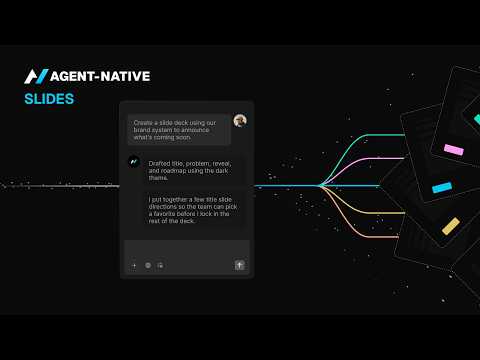
Agent Native Slides: the deck that builds itself
21:52
Tutorial21:52
Agent Native Slides: the deck that builds itself
In this session, Builder.io's Julia Shkrabova walked through a real problem every chief of staff knows: leadership wants the same update every week, and the data lives in a dozen places. We covered: - How to prompt Claude to build an on-brand leadership deck from a HubSpot export, a Slack channel, and Gong call data - Why anonymizing customers and matching your branding matters for a leadership-ready deck - How Agent Native Slides turns a one-time Claude output into a living deck you can edit visually, share, and collaborate on - How the deck rebuilds itself each week by re-querying its connected data, no re-prompting required Julia also showed how Agent Native's apps talk to each other, pulling analytics straight into slides, and how the whole thing runs free and open source.
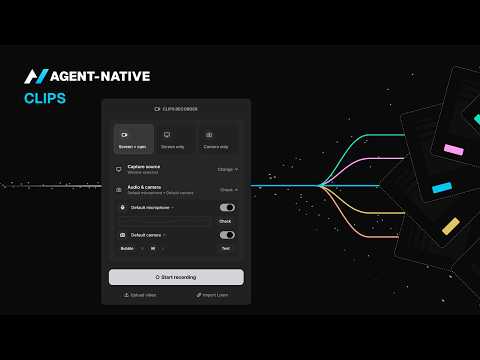
Clips  Record Your Screen, Skip the Write Up
14:35
Tutorial14:35
Clips Record Your Screen, Skip the Write Up
Explaining a bug, a design change, or a confusing spreadsheet in text takes longer than showing it, and the reader still has to guess what you meant. Clips, an Agent-Native app, is a free alternative to Loom that records your screen and automatically transcribes it. You can search past recordings by what was said, hold a key to dictate instead of typing, and sync meeting notes straight to your calendar. Anyone who records their screen, explains something over Slack, or sends a Loom link can use Clips. In the session, we recorded a quick project from a blank screen to a finished, shareable clip, showed how transcription and search work, and walked through one example of a support team using Clips to speed up their ticket process. We also showed the Clips Chrome extension. Click the icon, hit record, talk through the issue, and hand it straight to an agent. No more typing out bug reports, attaching screenshots, and pasting debug logs by hand. What we covered: A clip made from scratch, blank screen to shareable link How that recording flows straight into your other tools, the shared-context idea Agent-Native is built on Why handing a clip to an agent beats screenshots, logs, and a paragraph of typing How to start using Clips today, free, at agent-native.com

Who uses it

Real use cases, no hype
Design-to-Code Automation
Convert Figma designs directly into clean, responsive, production-ready code components.
Marketing Site Management
Enable marketers to create, edit, and publish landing pages visually without engineering support.
A/B Testing & Personalization
Run experiments and personalize user experiences with a visual editor and built-in targeting.
Internal Tool Prototyping
Quickly build and iterate on internal dashboards and tools with visual components and AI assistance.
Headless CMS for Developers
Manage structured content with a visual layer while developers maintain full code control via APIs.
Multi-Brand Experience Management
Centralize and scale content and component libraries across multiple brands or regional sites.
E-commerce Experience Builder
Create and optimize dynamic product pages, storefronts, and checkout flows without heavy dev lifts.
What's great
  • Unifies code & visual editing for designers, PMs, and engineers.
  • Visual editor generates real, framework-agnostic production code.
  • Strong brand control with design system integration.
  • A/B testing & personalization without engineering overhead.
Technical strengths
  • Agent Credits bundle generative AI for content & code.
  • MCP Connectors enable deep workflow integrations.
  • Supports major frameworks (React, Vue, Svelte, etc.).
Where it falls short
  • Complex pricing with two separate products (Code & Content).
  • Steep learning curve for full platform adoption.
  • Advanced features (RBAC, SSO, Design System Intelligence) locked to Enterprise.
  • Free tier is heavily limited (15 daily Agent Credits).
Technical limitations
  • Vendor lock-in risk for visual editing workflows.
  • Proprietary Agent Credit system obscures true AI cost.
For technical folks

The deep-dive specs

FAQ

Includes technical Q&A
Builder Code is an AI-powered IDE for generating and managing UI code from designs or prompts. Builder Content is a visual CMS and page builder for marketers to create and publish content without touching code.

Traffic Insights

Monthly Visits

—

October 2026

Growth Rate

0%

vs last month

Dominance

0%

in Web Design

Top Country

—

Top Countries Breakdown

—

Growth Trend

Stable

Traffic has remained stable.

Honest pricing

No sneaky tiers, no “contact sales”

Here's who each plan is actually for — and where the hidden charges might hit.

Free
Free

Individuals

  • 1 user included (up to 5)
  • 60 monthly Agent Credits
  • Connect with GitHub
  • GitLab
  • and Bitbucket
  • Figma plugin
  • VS Code extension
Pro
Most picked
$24/mo

Individuals and small teams

  • 1 user included (up to 5)
  • 500 monthly Agent Credits
  • Pay-as-you-go for more usage
  • Agent Credit rollovers
  • 30-day activity history
  • Built-in MCP Servers
  • Standard support
Team
$40/mo

Teams

  • 1 user included (up to 20)
  • 500 monthly Agent Credits
  • AI training opt-out
  • Builder Agent in Slack and JIRA
  • Admin
  • Developer
  • Designer
Enterprise
Custom

Enterprise

  • Custom user seats
  • Custom Agent Credits
  • Connect with Bitbucket Enterprise
  • GitLab Enterprise
  • Azure DevOps
  • Design System Intelligence
  • Training opt-out by default
View Full Plans & Pricing on Builder.io

Official pricing, checkout, and plan upgrades are handled directly on builder.io.

Reviews

What the internet actually thinks

Data refreshed weekly. No paid placements.

Trustpilot
Not reviewed yet
G2
G2
Not reviewed yet
C
Capterra
Not reviewed yet
Product Hunt
Not reviewed yet
COMMUNITY COMMENTS

Leave a Comment

Help others make informed decisions. Your honest feedback shapes the community's understanding of this tool.

Tips for commenting

  • •Be specific about features you used
  • •Share real use cases and results
  • •Mention both pros and cons
  • •Keep it honest and constructive
to leave a comment

Your comment is published immediately.

Filter:
Sort:

No comments yet

Be the first to share your experience with this tool.

Alternatives

Not quite the right fit?

Here's what else is out there.