Brisk Teaching

Brisk Teaching

Brisk Teaching is an education technology platform that integrates AI directly into the tools teachers already use, such as Google Docs, Slides, and Microsoft Office, via a browser extension. It automates the creation of instructional materials like lesson plans, quizzes, and presentations, and provides multiple methods for giving personalized feedback on student work, including batch processing for entire classes. The platform includes Brisk Boost for teacher-controlled student activities and Brisk Next for centralized lesson planning and resource bundling. It is designed for K-12 teachers, administrators, and students, with a strong focus on curriculum alignment, data privacy, and scalable deployment for schools and districts.

Productivity
Visit website
Added on
Sep 18, 2026
Monthly Visits
523K
Browser ExtensionChrome & EdgeGoogle Docs/SlidesLMS IntegrationBatch FeedbackStudent AI Workspace50+ LanguagesFERPA/COPPA Compliant
Product information

Everything worth knowing about Brisk Teaching

The complete picture — from everyday features to the technical detail builders and IT folks dig for.

Core features

What it actually does

Chrome & Edge Extension
AI layer that integrates directly into Google Docs, Slides, YouTube, PDFs, and LMS platforms, allowing you to create and get feedback without leaving your workflow.
Brisk Boost for Students
Safe, teacher-guided AI workspace for students with real-time adaptation to their understanding, full teacher control, and actionable insights.
Batch Feedback
Upload an entire class's assignments (PDFs, images, Docs) and receive personalized feedback for every student in a single session.
Inspect Writing Tool
View a video-style replay of a student's entire writing process in Google Docs, including timestamps, edits, and pasted text, to verify authenticity and understand their thinking.
Technical capabilities
Curriculum Intelligence
Premium feature that builds tools around your district's adopted curriculum, pacing guides, and scope & sequence for curriculum fidelity.
Brisk Guidance
Premium feature that incorporates local compliance, pedagogical approach, and cultural context into all AI outputs.
Must watch videos
How to Use Brisk: Brisk Teaching Overview
5:17
Tutorial5:17
How to Use Brisk: Brisk Teaching Overview
EBrisk Teaching is an AI-powered education platform for schools and districts — helping teachers plan, teach, and personalize learning with ease. 🚀 Explore the Brisk Extension, Brisk Boost, and Brisk Next → briskteaching.com 🔔 Subscribe for more content 👍 Like this video if you found it helpful 🔗 Useful Links: - Visit our website: www.briskteaching.com - Check out our blog: www.briskteaching.com/blog - Grab PD Resources: https://www.briskteaching.com/brisk-professional-development-resources - Join the AI Professional Community: https://www.briskteaching.com/community 🌐 Follow Along: - Facebook: https://www.facebook.com/briskteaching - Facebook Group: https://www.facebook.com/groups/briskeducators - X / Twitter: https://x.com/briskteaching - Instagram: https://www.instagram.com/briskteaching/ - LinkedIn: https://www.linkedin.com/company/brisk-teaching/ 🙏 Let's Connect: We love hearing from our community! Leave a comment below and let us know what you think or what you'd like to see next. Don't forget to hit the bell icon 🔔 to get notified whenever we upload new content. #Brisk #FreeAIForTeachers #AIForTeachers #TimeSavingAI #AIforEducators #BriskTeaching #Education #Learning
What Is Brisk Teaching? | Trusted AI for Teachers, Schools & Districts
1:10
Tutorial1:10
What Is Brisk Teaching? | Trusted AI for Teachers, Schools & Districts
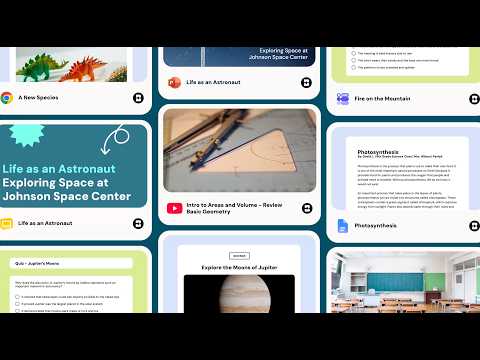
Brisk Teaching is an AI-powered education platform for schools and districts — helping teachers plan, teach, and personalize instruction with ease. With Brisk, educators can: • Turn trusted resources into lessons, presentations, quizzes, activities, and more • Adapt and personalize materials for different students and learning needs • Give targeted feedback on student work • Turn existing materials into interactive learning experiences for students • Decide what to teach next based on student work and learning needs Brisk works directly inside Google Docs, Slides, YouTube, PDFs, webpages, and more. 🚀 Ready to try Brisk? Explore Brisk → https://www.briskteaching.com/ 🎓 Learn more: • Brisk Blog: www.briskteaching.com/blog • Professional Development Resources: www.briskteaching.com/brisk-professional-development-resources • Brisk Educator Community: www.briskteaching.com/community 🌐 Follow Brisk: • Facebook: www.facebook.com/briskteaching • Facebook Group: www.facebook.com/groups/briskeducators • X: x.com/briskteaching • Instagram: www.instagram.com/briskteaching • LinkedIn: www.linkedin.com/company/brisk-teaching Subscribe to our YouTube channel for product updates, practical ideas, and new ways to use Brisk. #BriskTeaching #AIForTeachers #AIForEducation #EdTech
What is Brisk Teaching? Your Free AI Teaching Assistant
0:55
Tutorial0:55
What is Brisk Teaching? Your Free AI Teaching Assistant
What is Brisk? The Simple Teaching Assistant that works wherever you do. Brisk stays by your side anywhere online, ready to lend a hand. Get help with curriculum, feedback, differentiation, and more — right from the apps and websites you already use. Download for free at www.briskteaching.com. Brisk Teaching: #1 AI Powered Chrome Extension for Teachers Welcome to Brisk Teaching! 🎓 Your go-to channel for AI Tips for Teachers. Our mission is to provide high-quality, engaging, and accessible educational content to help you save time through the use of AI in your classroom. 🔔 Subscribe for more content 👍 Like this video if you found it helpful 🔗 Useful Links: - Visit our website: www.briskteaching.com - Check out our blog: www.briskteaching.com/blog - Grab PD Resources: https://www.briskteaching.com/brisk-professional-development-resources - Join the AI Professional Community: https://www.briskteaching.com/community 🌐 Follow Along: - Facebook: https://www.facebook.com/briskteaching - Facebook Group: https://www.facebook.com/groups/briskeducators - X / Twitter: https://x.com/briskteaching - Instagram: https://www.instagram.com/briskteaching/ - LinkedIn: https://www.linkedin.com/company/brisk-teaching/ 🙏 Let's Connect: We love hearing from our community! Leave a comment below and let us know what you think or what you'd like to see next. Don't forget to hit the bell icon 🔔 to get notified whenever we upload new content. #Brisk #FreeAIForTeachers #AIForTeachers #TimeSavingAI #AIforEducators #BriskTeaching #Education #Learning

Who uses it

Real use cases, no hype
Lesson Plan Generation
Generate full lesson plans, guided notes, and activities from a YouTube video or web article.
Batch Essay Feedback
Provide personalized 'Glow & Grow' feedback to an entire class's writing submissions in one session.
Differentiation & Translation
Instantly adjust reading levels or translate worksheets and quizzes into 50+ languages.
Formative Assessment Creation
Build standards-aligned quizzes and formative checks directly within Google Docs or Forms.
Student Writing Analysis
Use 'Inspect Writing' to replay a student's drafting process and verify authentic work.
Differentiated Practice Activities
Turn any text into an adaptive, teacher-controlled Brisk Boost activity for students.
District-Wide Deployment
Manage AI tool usage, custom standards, and privacy compliance across schools.
What's great
  • Seamless integration into Google Docs, Slides, and LMS platforms.
  • Massive time savings on lesson prep and feedback loops.
  • Strong privacy and safety features for K-12 (95% Common Sense Rating).
  • 30+ specialized AI tools for content creation and feedback.
Technical strengths
  • Advanced batch feedback and class-wide insight generation.
  • Curriculum intelligence layer aligns outputs to district standards.
  • Student Boost activities with real-time adaptive support.
Where it falls short
  • Premium features require district/school-wide purchasing.
  • Can feel overwhelming for a single teacher to explore all tools.
  • Pricing model is opaque; requires a sales call for quotes.
  • Dependency on specific browser extensions (Chrome/Edge).
Technical limitations
  • Free plan limits access to advanced language models.
  • Inspect Writing tool primarily supports Google Docs workflows.
  • Batch feedback processing may have upload limits on free tiers.
For technical folks

The deep-dive specs

FAQ

Includes technical Q&A
Yes, the Free Forever plan provides 20+ core AI tools via a Chrome/Edge extension. New sign-ups get a 14-day Premium trial before defaulting to the free plan.

Traffic Insights

Monthly Visits

523K

November 2026

Growth Rate

0%

vs last month

Dominance

0%

in Productivity

Top Country

United States

48% of traffic

Top Countries Breakdown

United States
48%
Bangladesh
6%
South Korea
6%
India
4%
Philippines
3%

Growth Trend

Stable

Traffic has remained stable.

Honest pricing

No sneaky tiers, no “contact sales”

Here's who each plan is actually for — and where the hidden charges might hit.

Free
Free

Individuals

  • 20+ core AI tools
  • Chrome & Edge extension
  • Brisk Boost
  • Standard language models
  • Glow & grow feedback
  • Next steps feedback
  • Rubric criteria feedback
Premium
Custom Pricing

Schools & Districts

  • Includes everything in Free
  • plus Turbo language models
  • 35+ tools
  • Targeted feedback generator
  • Rubric scoring in feedback
  • Advanced student learning insights
  • District administrator dashboard
Intelligence
Custom Pricing

Districts

  • Includes everything in Premium
  • plus Curriculum Intelligence
  • Pacing and scope & sequence built into every tool
  • Brisk Guidance
  • Curriculum-informed insights and gap analysis for leaders
  • White glove onboarding
View Full Plans & Pricing on Brisk Teaching

Official pricing, checkout, and plan upgrades are handled directly on briskteaching.com.

Reviews

What the internet actually thinks

Data refreshed weekly. No paid placements.

Trustpilot
Not reviewed yet
G2
G2
Not reviewed yet
C
Capterra
Not reviewed yet
Product Hunt
Not reviewed yet
COMMUNITY COMMENTS

Leave a Comment

Help others make informed decisions. Your honest feedback shapes the community's understanding of this tool.

Tips for commenting

  • •Be specific about features you used
  • •Share real use cases and results
  • •Mention both pros and cons
  • •Keep it honest and constructive
to leave a comment

Your comment is published immediately.

Filter:
Sort:

No comments yet

Be the first to share your experience with this tool.

Alternatives

Not quite the right fit?

Here's what else is out there.