Arko AI

Arko AI

ArkoAI is an AI-powered rendering plugin that integrates directly into major 3D modeling software like SketchUp, Rhino3D, and Revit. It reimagines the rendering process, allowing architects and designers to generate photorealistic images and visualizations with a single click, replacing complex traditional rendering workflows. The tool offers a proprietary 'Nano Banana' Pro model for higher quality outputs and supports features like creative consistency and negative prompts. The service operates on a subscription model, providing a monthly render quota and access to its Pro toolset. It targets architects, interior designers, and 3D artists looking to accelerate their visualization pipeline. A free trial is available, but the core functionality requires a paid subscription, which can be billed monthly or yearly with tiered plans for individuals, studios, and educational users.

Design & Creative
Visit website
Added on
Sep 18, 2026
AI RenderingSketchUp PluginRhino3D PluginRevit PluginNano Banana ModelCloud Processing
Product information

Everything worth knowing about Arko AI

The complete picture — from everyday features to the technical detail builders and IT folks dig for.

Core features

What it actually does

One-Click AI Rendering
Transform 3D models into photorealistic renders instantly with a single button press, bypassing traditional rendering setup.
Multi-Platform Compatibility
Works as a plugin inside Rhino3D, SketchUp, and Revit on Windows and MacOS, allowing you to render directly from your CAD environment.
Pro Model: Nano Banana
Unlock the state-of-the-art 'Nano Banana' proprietary AI model for higher quality, more consistent, and larger output images compared to the free model.
Pro Toolset
Access advanced features like Seed Settings, Negative Prompts, and High-Quality resolution control to fine-tune your renders.
Monthly Render Quota
Receive a fixed number of high-priority renders each month based on your subscription tier.
Technical capabilities
Cloud-Based Rendering
Rendering is processed in the cloud. The tool sends model data (typically under 1.2MB for Pro) to ArkoAI's servers for AI inference.
Must watch videos
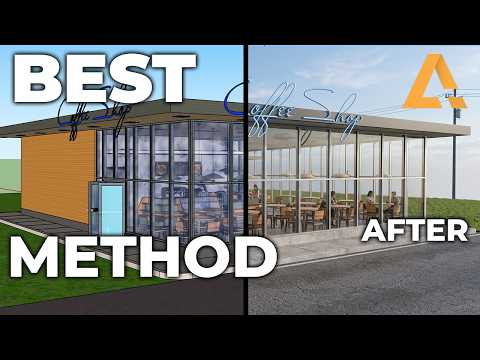
The BEST METHOD for AI renderings out of Sketchup FAST
5:31
Tutorial5:31
The BEST METHOD for AI renderings out of Sketchup FAST
In this video Seldon Polczynski takes us through exciting new features of ArkoAI and sketch up to quickly and effectively generate the interior designs you want. If you have any ideas or things you'd like to see ArkoAI do, comment below! ArkoAI is a cloudbased AI rendering solution with plugins in Rhino, SketchUp, and Revit! Check it out here! https://arko.ai/ For more tips, tricks and feedback visit our forum! ArkoAI Forum: https://forum.arko.ai/ ArkoAI Support: support@arko.ai ArkoAI streamlines the workflow from planning phase to the conceptual phase of any project. With plugins in Revit, Rhino, and SketchUp ArkoAI is spearheading the next generation of AI and AI renderings. With lots more applications in the works, be sure to follow all of our social outlets and keep up to date with our latest releases. Socials: https://twitter.com/ArkoAI_ https://www.tiktok.com/@arkoai https://www.instagram.com/arko.ai/
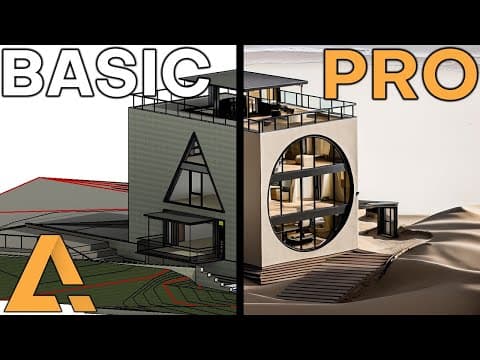
NEW Features! PRO AI Tools and Seeding to generate FAST Revit Sketchup and Rhino renderings!
3:45
Tutorial3:45
NEW Features! PRO AI Tools and Seeding to generate FAST Revit Sketchup and Rhino renderings!
In this video Seldon Polczynski takes us through some new exciting features of ArkoAI and Revit to quickly and effectively generate the consistent AI renderings you want. In this video we cover Image Seeding 1:13 , Negative Prompts 2:20 , and Image Quality! If you have any ideas or things you'd like to see ArkoAI implement, comment below! ArkoAI is a cloudbased AI rendering solution with plugins in Rhino, SketchUp, and Revit! Check it out here! https://arko.ai/ For more tips, tricks and feedback visit our forum! ArkoAI Forum: https://forum.arko.ai/ ArkoAI Support: support@arko.ai ArkoAI streamlines the workflow from planning phase to the conceptual phase of any project. With plugins in Revit, Rhino, and SketchUp ArkoAI is spearheading the next generation of AI and AI renderings. With lots more applications in the works, be sure to follow all of our social outlets and keep up to date with our latest releases. Socials: https://twitter.com/ArkoAI_ https://www.tiktok.com/@arkoai https://www.instagram.com/arko.ai/ ------Tags AEC_AI AI in AEC AI for Architecture AI in Engineering AI in Construction Artificial Intelligence Machine Learning Smart Buildings Building Design Construction Tech Revit AI Revit ArtificialIntelligence AI in Revit Revit BIM AI Revit MachineLearning SmartRevit Revit Automation Revit PredictiveModeling Revit AI_Design Revit AutoTagging Revit BIM Optimization AI Driven Revit Revit AI Integration Revit AEC Tools Revit AI Solutions Revit IntelligentDesign Revit Robotics Revit AI Algorithms Revit AI Enhancements Revit BIM Analytics BIM AI AEC Innovation Digital Construction Autonomous Construction AI Enhanced Design Predictive Analytics Virtual Construction Robotics in AEC AI Driven Engineering AEC Technology
Using AI to make SketchUp Renderings FAST (Interior Design)
7:38
Tutorial7:38
Using AI to make SketchUp Renderings FAST (Interior Design)
In this video Seldon Polczynski takes us through some best practices of ArkoAI and sketch up to quickly and effectively generate the interior designs you want. If you have any ideas or things you'd like to see ArkoAI do, comment below! ArkoAI is a cloudbased AI rendering solution with plugins in Rhino, SketchUp, and Revit! Check it out here! https://arko.ai/ For more tips, tricks and feedback visit our forum! ArkoAI Forum: https://forum.arko.ai/ ArkoAI Support: support@arko.ai ArkoAI streamlines the workflow from planning phase to the conceptual phase of any project. With plugins in Revit, Rhino, and SketchUp ArkoAI is spearheading the next generation of AI and AI renderings. With lots more applications in the works, be sure to follow all of our social outlets and keep up to date with our latest releases. Socials: https://twitter.com/ArkoAI_ https://www.tiktok.com/@arkoai https://www.instagram.com/arko.ai/

Who uses it

Real use cases, no hype
Architectural Visualization
Generate photorealistic renders of building designs directly from Rhino, SketchUp, or Revit models for client presentations.
Concept Design Iteration
Rapidly visualize and compare design concepts with AI-generated renders without setting up a traditional render farm.
Interior Design Previews
Create quick, high-quality interior visualizations to communicate material and lighting choices to clients.
Real Estate Marketing
Produce compelling imagery for unbuilt projects to aid in sales and marketing collateral.
Student Projects
Leverage the educational plan to produce professional-quality renders for academic portfolios and assignments.
What's great
  • One-click rendering directly from design software.
  • Integrates with major architecture tools (SketchUp, Rhino, Revit).
  • Pro model offers higher resolution and quality.
  • Single license covers all supported platforms.
  • Offers tiered plans for individuals, students, and studios.
Technical strengths
  • No model training required; renders from geometry and materials.
  • Uses proprietary 'Nano Banana' model for style consistency.
Where it falls short
  • Free tier has strict file size and image height limits.
  • Rendering is cloud-based; requires an active internet connection.
  • Render quota is fixed per subscription period.
  • Windows-only for Revit and Rhino plugins; SketchUp has MacOS support.
Technical limitations
  • Limited control over the AI generation process beyond prompts.
  • Pro model specifics (architecture, training data) are not publicly detailed.
  • No offline or local rendering option available.
For technical folks

The deep-dive specs

FAQ

Includes technical Q&A
No. ArkoAI works out-of-the-box by interpreting the geometry, materials, and lighting of your 3D model. You guide the style using text prompts.

Traffic Insights

Monthly Visits

—

October 2026

Growth Rate

0%

vs last month

Dominance

0%

in Design & Creative

Top Country

—

Top Countries Breakdown

—

Growth Trend

Stable

Traffic has remained stable.

Honest pricing

No sneaky tiers, no “contact sales”

Here's who each plan is actually for — and where the hidden charges might hit.

Pro - Personal
Most picked
$3000/mo

Individuals

  • Access to Nano Banana Pro Model
  • Monthly render quota
  • Pro Toolset
  • Single user license
Pro - Educational
$2000/mo

Students

  • Access to Nano Banana Pro Model
  • Monthly render quota
  • Pro Toolset
  • Educational license
Pro - Studio
$13900/mo

Teams

  • Access to Nano Banana Pro Model
  • High monthly render quota
  • Pro Toolset
  • Multi-user/team license
View Full Plans & Pricing on Arko AI

Official pricing, checkout, and plan upgrades are handled directly on arko.ai.

Reviews

What the internet actually thinks

Data refreshed weekly. No paid placements.

Trustpilot
Not reviewed yet
G2
G2
Not reviewed yet
C
Capterra
Not reviewed yet
Product Hunt
Not reviewed yet
COMMUNITY COMMENTS

Leave a Comment

Help others make informed decisions. Your honest feedback shapes the community's understanding of this tool.

Tips for commenting

  • •Be specific about features you used
  • •Share real use cases and results
  • •Mention both pros and cons
  • •Keep it honest and constructive
to leave a comment

Your comment is published immediately.

Filter by rating:
Sort by:

No comments yet

Be the first to share your experience with this tool.

Alternatives

Not quite the right fit?

Here's what else is out there.