Amped Studio

Amped Studio

Amped Studio is a full-featured, browser-based digital audio workstation (DAW) for creating music directly in Chromium-based browsers like Chrome, Edge, Opera, and Brave. It targets musicians, producers, content creators, and educators. Core capabilities include an AI music assistant for generating compositions in various styles, virtual instruments (VST 3 support), MIDI editing, audio effects (reverb, delay, compression, etc.), an AI stem splitter for separating vocals and instruments, a drum machine, and collaborative project sharing. The platform offers a free tier with limited projects and tracks, alongside premium plans that unlock unlimited projects, higher storage, and full AI features. It is not a mobile app and lacks full functionality in Firefox or Safari. Users can record vocals, arrange tracks, add effects, and use third-party VST plugins from their computer, all within a web interface.

Audio Generation
Visit website
Added on
Sep 18, 2026
Monthly Visits
105.4K
Browser DAWAI GenerationStem SplittingVST 3 SupportMIDI EditorCollaboration
Product information

Everything worth knowing about Amped Studio

The complete picture — from everyday features to the technical detail builders and IT folks dig for.

Core features

What it actually does

AI Music Generation
Generate compositions in any style (Hip-Hop, Jazz, Techno, etc.) by setting BPM and style templates. Includes AI stem splitting to separate vocals and instruments from any uploaded song.
Collaboration & Sharing
Create collaborative songs by generating a link to share with musician friends for recording. Share projects directly from the studio.
Audio & MIDI Editing
Full suite of editing tools: convert audio to MIDI, reverse, pitch/gain editing, stretching, and cutting. Create melodies, chords, and rhythms with precise MIDI note control.
Virtual Instruments & Effects
Access a wide set of virtual instruments (from bass to lead) and 20+ audio effects (reverb, delay, compression). Includes a drum machine (Drumpler) with custom one-shots.
Technical capabilities
VST 3 Plugin Support
Expand capabilities by using third-party VST 3 plugins installed on your computer directly within the browser-based DAW.
Browser-Based DAW
Runs entirely in Chromium-based browsers (Chrome, Edge, Opera, Brave). No downloads or installation required, but not supported on Firefox, Safari, or mobile.
Must watch videos
Build a Classic 90s Hip-Hop Beat Online in 30 Mins (Zero Installs!)
48:18
Tutorial48:18
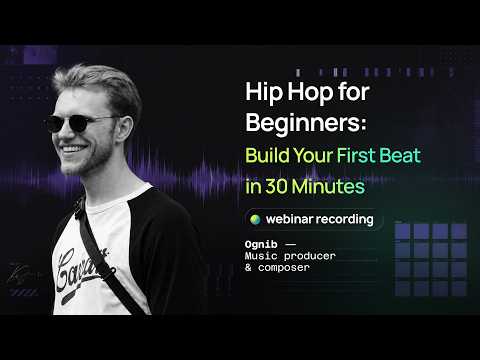
Build a Classic 90s Hip-Hop Beat Online in 30 Mins (Zero Installs!)
Tired of bulky DAWs, endless plugin installations, and gear that slows down your workflow? In this session, veteran music producer Andrey aka Ognib shows you how to cook up an authentic, old-school 90s hip-hop beat completely inside your web browser using Amped Studio. Dive straight into sampling, drum programming, and basslines without ever touching a heavy desktop installation. What You’ll Learn: How to drag and drop samples and adjust pitch/speed using the built-in pitch editor. Using the Drum Player and your computer keyboard to play beats without a MIDI controller. The secret to a bouncy hi-hat groove using velocity adjustments. Building a fat sub-bass line and adding acoustic piano melodies. Basic automation and mixing tips to get your beat sounding clean. Timestamps: 00:00 — Intro: Who is Andrey & What is Amped Studio? 00:18 — Browser DAW Overview 00:53 — Classic 90s Hip-Hop Vibe & Samples 01:32 — Importing Splice Loops 02:17 — Timeline Drop & Interface 03:19 — Setting the Tempo to 87 BPM 03:32 — Pitch Editor Tweaks 04:55 — Loading the Drumpler Plugin 06:03 — Dragging in Kick, Snare & Hi-Hats 06:54 — Writing Hi-Hats in the Piano Roll 08:47 — Adjusting Velocity for Natural Groove 09:57 — Placing the Snare on Downbeats 11:10 — Recording Kicks via Computer Keyboard 11:57 — Using Note Overdub 12:49 — Quantizing & Timing Fixes 13:32 — Adding Ghost Kicks 14:35 — Creating the Bassline with Sampler 19:16 — Adding Reverb 20:02 — Equalizer Mini Filtering 22:00 — Octave Shifting 23:08 — Mixing Levels & Dynamics 24:36 — Adding the Saxophone Melody 27:37 — Arranging the Beat Structure 33:02 — Parameter Automation 41:14 — Q&A and Wrap-Up Want to skip the downloads and start producing straight from your browser tab? Jump in and try Amped Studio for free right here: https://ampedstudio.com/users/sign_up/?utm_source=youtube&utm_medium=social&utm_campaign=signup
Make Your First Trap Beat Online in 30 Mins (No Downloads Needed!)
39:57
Tutorial39:57
Make Your First Trap Beat Online in 30 Mins (No Downloads Needed!)
Want to make music but feel overwhelmed by complicated software and expensive gear? You’re not alone! In this beginner-friendly tutorial, music producer Andrey (OGNIB) breaks down how to create your very first Trap beat step-by-step using Amped Studio — a free music production tool that runs right in your web browser. No huge downloads, no paid software, and no stress. Whether you're brand new to music making or just looking for a fast, easy way to sketch out your ideas on the go, this guide will get you making music in no time. What You’ll Learn: How to lay down a punchy hi-hat pattern (plus the secret trick for that bouncy groove!) How to build hard-hitting kick, clap, and bassline layers Adding iconic trap flutes & cymbals to give your beat personality Easy automation tips to make your intro jump out at the listener How to export your beat in seconds Timestamps: 00:00 — Intro: Who is Andrey & What is Amped Studio? 02:26 — What is Trap Music & Where Do We Start? 03:22 — Building Your First Hi-Hat Pattern 07:10 — The Secret Trick for Trap Hi-Hat "Bounce" (Velocity) 08:41 — Adding the Kick and Clap 11:20 — Recording Beats with Your Computer Keyboard 13:42 — How to Quantize & Fix Sloppy Timing 14:38 — Making Hi-Hat Rolls 16:51 — Creating the Bassline (How to Pick the Right Notes) 23:18 — Adding the Classic Trap Flute Melody 28:15 — Using Reverb & Sound Effects 29:40 — Arranging the Track: Intro, Drop & Contrast 32:48 — Adding Cymbals & Finishing Touches 35:45 — Final Playback: Listen to the Completed Beat! 36:51 — How to Export Your Beat to MP3 38:25 — Wrap-Up & Final Advice Ready to create your own music without downloading anything? Register and start making music for free here: https://ampedstudio.com/users/sign_up/?utm_source=youtube&utm_medium=social&utm_campaign=signup
House Drum Patterns: How to Build a House Beat from Scratch
5:55
Tutorial5:55
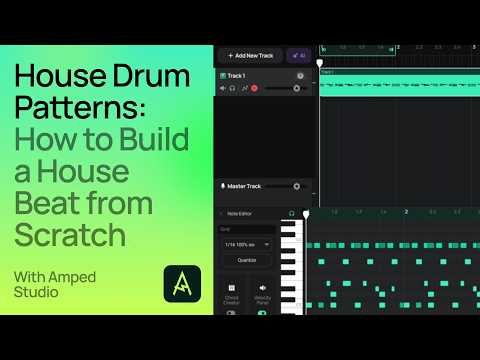
House Drum Patterns: How to Build a House Beat from Scratch
Learn how to build a classic house drum pattern step by step, from a basic four-on-the-floor kick to a full groove with rhythmic variation. In this tutorial, we start with the foundation (kick, snare, hi-hats) and then apply three techniques that define classic house grooves: shuffle for bounce, syncopated rimshots for a jacking feel, and ghost kicks for a more natural sound. At the end, we add bass, chords, and a ride to hear the beat in context. Built in Amped Studio's Drumpler. Timestamps: 0:00 Setting up the project 0:33 Programming the four-on-the-floor kick 0:47 Adding snare and hi-hats 1:37 Adding 16th-note percussion 1:49 Shaping velocity 2:37 Applying shuffle (swing) 3:17 Syncopated rimshots for jacking feel 3:59 Ghost kicks 4:25 Extending the loop into an arrangement Try Amped Studio free: https://ampedstudio.com Read the full guide: https://ampedstudio.com/blog/how-to-make-a-house-beat/ #HouseDrumPatterns #ClassicHouse #MusicProduction #DrumProgramming #AmpedStudio

Who uses it

Real use cases, no hype
Rapid Beat Prototyping
Use the AI Beat Maker and built-in Drumpler to sketch trap, hip-hop, or house rhythms in minutes.
Vocal Recording & Processing
Record vocals directly into the browser, apply 20+ effects, and edit takes with automation.
Stem Separation & Remixing
Upload any song, split it into instrumental and vocal tracks using AI, then rearrange and remix.
Collaborative Songwriting
Share a project link to record and edit with remote musicians in real-time via video chat.
Music Education & Lessons
Use the classroom plan to manage student groups, assign projects, and teach theory in a safe digital environment.
Content Creation Audio
Create original music or process vocals for YouTube videos, reels, and shorts with minimal friction.
Quick Arrangement & Mastering
Lay out MIDI chords, use automation, and apply mastering effects to finalize tracks for export.
What's great
  • Zero-install browser DAW, instant start
  • Built-in AI composition & stem splitting tools
  • Solid free tier with usable virtual instruments
Technical strengths
  • Supports VST3 plugins on the web
  • Real-time collaboration via shared project links
  • COPPA-compliant classroom version for educators
Where it falls short
  • No mobile app or touch interface
  • Free plan has ads and project limits
  • AI features locked behind top-tier plan
Technical limitations
  • Limited to Chromium-based browsers only
  • WebGL audio engine can lag without buffer tweaking
  • Storage caps (10GB/50GB) for paid tiers
For technical folks

The deep-dive specs

FAQ

Includes technical Q&A
No. It includes AI tools like a beat generator and stem splitter to aid creation, but it's primarily a DAW for arranging and editing music manually.

Traffic Insights

Monthly Visits

105.4K

October 2026

Growth Rate

0%

vs last month

Dominance

0%

in Audio Generation

Top Country

Netherlands

14% of traffic

Top Countries Breakdown

Netherlands
14%
United States
11%
France
6%
Brazil
5%
Italy
4%

Growth Trend

Stable

Traffic has remained stable.

Honest pricing

No sneaky tiers, no “contact sales”

Here's who each plan is actually for — and where the hidden charges might hit.

Free
Free

Users

    Premium
    $4.99/mo

    Users

      View Full Plans & Pricing on Amped Studio

      Official pricing, checkout, and plan upgrades are handled directly on ampedstudio.com.

      Reviews

      What the internet actually thinks

      Data refreshed weekly. No paid placements.

      Trustpilot
      Not reviewed yet
      G2
      G2
      Not reviewed yet
      C
      Capterra
      Not reviewed yet
      Product Hunt
      Not reviewed yet
      COMMUNITY COMMENTS

      Leave a Comment

      Help others make informed decisions. Your honest feedback shapes the community's understanding of this tool.

      Tips for commenting

      • •Be specific about features you used
      • •Share real use cases and results
      • •Mention both pros and cons
      • •Keep it honest and constructive
      to leave a comment

      Your comment is published immediately.

      Filter:
      Sort:

      No comments yet

      Be the first to share your experience with this tool.

      Alternatives

      Not quite the right fit?

      Here's what else is out there.